
Life360 is one of those apps parents hear about everywhere. Schools mention it. Other parents recommend it. Teens complain about it. For many families, it’s the first thing they install when they want a little peace of mind.
But being popular doesn’t mean being perfect.
Some parents notice their phone battery draining faster than expected. Others get frustrated when location updates lag or suddenly stop. And some simply don’t feel comfortable with how much data a third-party app needs just to show a dot on a map.
Then there’s the bigger issue Life360 doesn’t really solve.
Most parents don’t just worry about where their kids are. They worry about what’s happening in between — late nights, risky driving, online behavior, sudden changes in routine, or situations where something feels “off” but there’s no clear signal yet.
That’s why so many families start searching for apps like Life360 or Life360 alternatives. Not because Life360 is bad, but because it’s limited. It answers one question well — Where are they right now? — and leaves a lot of others unanswered.
This guide isn’t here to hype one app or tear another down. It’s here to help you understand what real Life360 alternatives actually offer, what problems they solve better, and how to choose the right tool for your family — without getting pulled into affiliate-driven rankings or fear-based marketing.
Quick Answer — Best Life360 Alternatives at a Glance
If you don’t want to read the whole guide, here’s the straight answer most parents are looking for:
Apple Find My + Screen Time
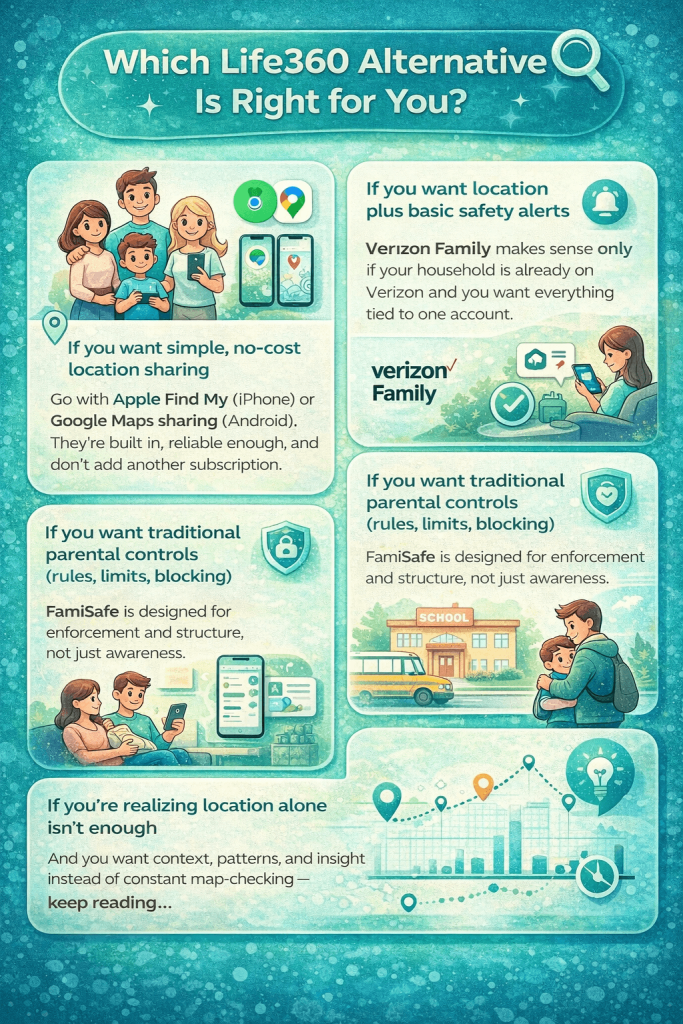
Free, built into iOS, and good enough for basic location sharing and family coordination.
Google Family Link + Google Maps Location Sharing
Reliable location sharing combined with real parental controls for Android devices.
Verizon Family (Smart Family)
Works best when your child’s phone is already on a Verizon plan and managed through one account.
FamiSafe
Focused on limits, rules, and monitoring rather than just showing location.
Find My Kids
Designed for school-age children with simpler tracking and pickup-focused use cases.
Each of these tools solves a slightly different problem. Some are about location. Some are about control. Some are about convenience.
Why Parents Look for Apps Like Life360
Most parents don’t search for Life360 alternatives on day one. They get there after small frustrations add up.
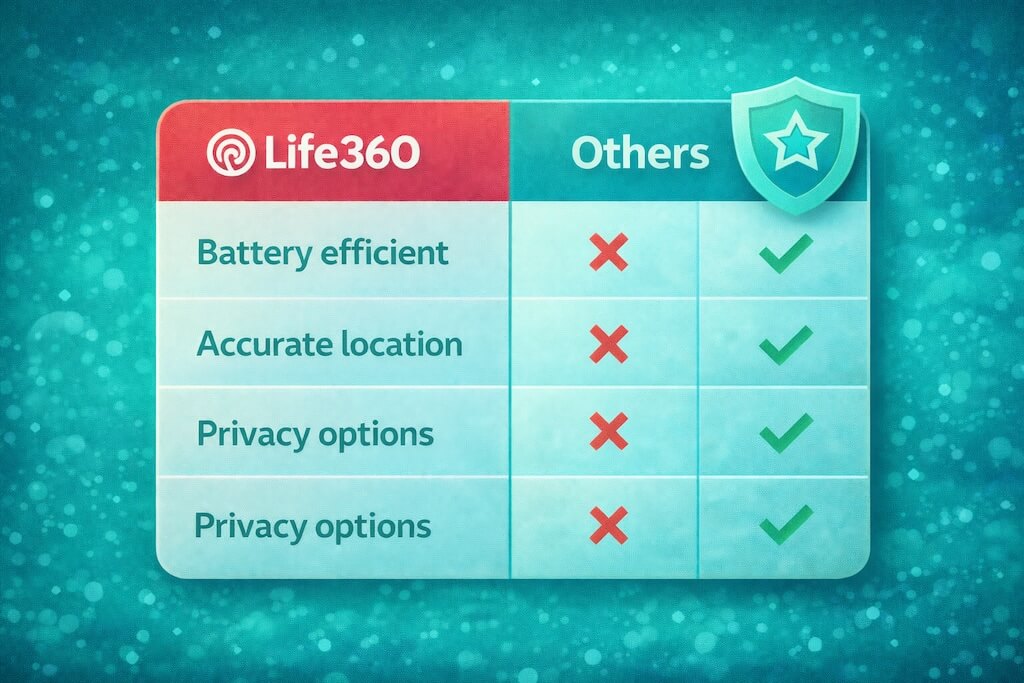
Battery drain becomes noticeable. Location updates lag or jump around. Alerts stop making sense. Over time, parents start trusting the app less — and checking it more.
Then there’s the human side. A missing update can cause more anxiety than reassurance. Teens learn how to disable sharing or blame “glitches,” and what was meant to build trust turns into a cat-and-mouse game.
Finally, value comes into question. Paying monthly just to see a dot on a map starts to feel limiting, especially when parents want more context, better privacy, or tools that actually support conversations.
That’s why families look for apps like Life360 — not because it’s bad, but because their needs grow beyond what simple location tracking can offer.
What Makes a True Life360 Alternative?
Not every app that shows a map is a real Life360 alternative. Many look good in screenshots but fall apart in daily use.
A true alternative needs to do more than just place a pin on a screen. It should handle real-world parenting situations without creating new problems.
Here’s what actually matters:
Reliable real-time location
Updates should be consistent, not jumpy or delayed every time the phone locks or the battery dips. Adults should be able to pause location sharing whenever they want.
Useful location history
Not just “where they are now,” but enough context to understand routines without obsessively checking.
Geofencing that works quietly
Arrival and departure alerts should reduce stress, not create false alarms.
Battery efficiency
If an app drains a phone fast, kids will disable it. That’s not a feature — it’s a failure.
Tamper resistance (within reason)
No consumer app is bulletproof, but good tools make it harder to accidentally or casually break tracking.
Parental controls or safety context
Depending on the app’s goal, this might mean rules, limits, or safety insights — not just raw data.
Privacy transparency
Parents should understand what data is collected, why it’s collected, and how it’s protected.
This is where many “Life360 alternatives” quietly fall short. They check one or two boxes, but miss the bigger picture.
Best Apps Like Life360
The goal isn’t to crown one “winner.” It’s to match the right tool to the right family. Here are the most common Life360 alternatives — what they do well, where they fall short, and who they’re best for.
Apple Find My + Screen Time
Best for iPhone familiesWhat it does well
Simple, free, built-in. Great for basic family location sharing and lightweight controls.
Where it fails
Not a dedicated family safety system, and not ideal for cross-platform households.
Who it’s for
iPhone households that want “good enough” tracking without paying for another app.
Google Family Link + Google Maps Sharing
Best for Android familiesWhat it does well
Strong parental controls on Android, plus Google’s ecosystem for location sharing.
Where it fails
Can feel split across two tools, and older teens may resist the control layer.
Who it’s for
Android-first families who want location + real device-level parenting tools.
Verizon Family (Smart Family)
Best carrier-based optionWhat it does well
Works best under one Verizon account with parent/dependent line structure.
Where it fails
Less flexible for mixed carriers; the value drops quickly outside Verizon households.
Who it’s for
Families already on Verizon who want safety + controls managed through the plan.
FamiSafe
Best for traditional parental controlsWhat it does well
Built around rules, limits, and classic parental controls — not just location.
Where it fails
Overkill if you only want coordination; setup/permissions can be make-or-break.
Who it’s for
Parents who want stricter control over device behavior, not just “where are you?”
Find My Kids
Best for younger kidsWhat it does well
Parent-friendly tracking for school-age kids and pickup-style routines.
Where it fails
Not the best fit for older teens who expect more privacy and independence.
Who it’s for
Parents of younger kids who want straightforward safety tracking.
GeoZilla / iSharing
Simple Life360-style trackersWhat they do well
Simple map + alerts experience for families who want the basics without deep controls.
Where they fail
Reliability depends heavily on phone settings; limited “beyond location” insight.
Who they’re for
Families who want a light, Life360-like option and don’t need strict controls.
Comparison Table: Life360 Alternatives
Use this table to compare the most popular apps like Life360 at a glance. Checkmarks don’t mean “perfect” — they simply indicate where an app is designed to perform well.
| App | Real-Time Location | Location History | Geofencing Alerts | Parental Controls | Privacy Transparency | Best For |
|---|---|---|---|---|---|---|
| Life360 | ✓ | ✓ | ✓ | ✕ | ◐ | Families focused mainly on location sharing |
| Apple Find My | ✓ | ◐ | ✕ | ✕ | ✓ | iPhone families wanting free, built-in tracking |
| Google Family Link | ✓ | ◐ | ✓ | ✓ | ✓ | Android families needing controls + location |
| Verizon Family | ✓ | ✓ | ✓ | ✓ | ✓ | Households fully on Verizon plans |
| FamiSafe | ✓ | ✓ | ✓ | ✓ | ◐ | Parents wanting strict rules and limits |
| Find My Kids | ✓ | ✓ | ✓ | ◐ | ◐ | Younger kids and school pickup safety |
Life360 vs Built-In Phone Tracking: The Truth Most Blogs Skip
Here’s something many comparison pages avoid saying out loud: modern phones already include a large chunk of what Life360 sells — for free.
What phones already do well
- Location sharing through built-in services
- Device-level permissions and privacy controls
- Basic parental settings like screen time and app limits
- Lower battery drain compared to third-party trackers
Where built-in tools fall short
- No dedicated family safety dashboards
- Limited or no geofencing alerts
- Minimal location history context
- No proactive safety or behavior-based insights
This is why some families feel perfectly fine using built-in tools alone — while others quickly outgrow them. If you just want to know where a phone is, the defaults may be enough.
But once parents want alerts, patterns, or reassurance beyond “the dot moved,” they start looking at apps like Life360 — and eventually, alternatives that go further.
The Privacy Reality of Location & Family Apps
Any app that tracks a child’s phone handles sensitive data. The difference isn’t whether data exists — it’s who controls it, how it’s used, and how clearly that’s explained.
Third-party location apps
- Often collect continuous location data to deliver features
- Policies vary on retention, sharing, and analytics
- Rely on user trust and app-level security practices
Carrier & OS-level tools
- Operate under stricter platform and telecom obligations
- Typically clearer consent models tied to accounts
- Fewer “extra” data uses outside the core service
None of this means third-party apps are unsafe by default. It means parents should read privacy settings, understand permissions, and choose tools that match their comfort level.
Which Life360 Alternative Is Right for You?
But What If You Want More Than Just Location?
For many families, the journey doesn’t stop at “Where are they?” Location apps are helpful — but they don’t explain what’s actually going on.
Parents often want context, not constant map-checking. They want to know when something unusual happens, when behavior changes, or when digital activity starts raising quiet red flags.
Not as a replacement for every location app — but as the next step for families who want awareness, insight, and peace of mind without making kids feel watched.
Frequently Asked Questions
Is there a free alternative to Life360?
Yes. Apple Find My (for iPhone families) and Google Maps location sharing (for Android) are free and built in. They cover basic location sharing but don’t offer deeper safety alerts or insights.
Can teens turn off Life360 or similar apps?
Yes. If a teen controls their phone settings, they can restrict location permissions, enable battery saving, or force-close apps. No consumer app can fully prevent this — which is why trust and transparency matter.
Does Apple Find My work without internet?
Partially. It can show the last known location and, in some cases, use nearby Apple devices to update location, but real-time tracking still works best with an internet connection.
What’s the best Life360 alternative for Android?
For most families, Google Family Link + Google Maps sharing is the strongest Android option, especially if you want both location and parental controls without another subscription.
Is Life360 safe from a privacy standpoint?
Life360 is widely used, but like any third-party location app, it collects sensitive data. Parents should review privacy settings, understand permissions, and decide what level of data sharing they’re comfortable with.
Do carrier-based tools like Verizon Family track better?
They’re often more structured and integrated with the phone plan, which some parents prefer. However, they still rely on the phone’s GPS and permissions, so accuracy depends on device settings.
What if location tracking alone isn’t enough for my family?
That’s common. Many families eventually look for tools that add context — alerts, patterns, and behavior insights — rather than relying only on a map.
- Monitor Calls & Text Messages
- View Photos and Videos
- Location Tracking & Geofence
- Monitor WhatsApp & Kik
- Detect & Alert for Inappropriate Activities
- Monitor Websites Visited
- Compatible with Android and iOS