
When parents compare Life360 and Bark, they’re usually not choosing between two similar apps. They’re choosing between two very different approaches to keeping kids safe.
Life360 grew popular by answering one simple question: “Where are they right now?”
It focuses on location sharing, arrival alerts, and driving safety — the kind of tools that help with pickups, commutes, and peace of mind when kids are out of sight.
Bark solves a different problem. It’s built for parents who worry less about where their kids are and more about what’s happening on their phones. Bark focuses on online safety — monitoring for risky content, bullying, self-harm signals, and managing screen time and app usage.
That’s why this comparison matters.
If you expect Bark to replace Life360’s real-time location tracking, you’ll be disappointed.
If you expect Life360 to warn you about online threats or risky behavior, you’ll miss what Bark is designed to do.
This guide breaks down what each app actually does well, where they fall short, and which one makes sense depending on what you’re trying to protect your child from — so you can choose based on reality, not marketing.
Quick Verdict (TL;DR)
Life360 and Bark are both popular with parents — but they’re popular for very different reasons. The better choice depends on what you’re actually worried about day to day.
Choose Life360 if:
- Your main concern is where your child is.
- You want arrival, departure, and driving-related safety alerts.
- Your family uses mixed devices or carriers.
- You want simple, always-on location awareness.
Choose Bark if:
- Your concern is online safety and digital behavior.
- You want alerts for bullying, risky content, or self-harm signals.
- You care about screen time, app limits, and web filtering.
- You prefer alerts over constant surveillance.
Life360 helps parents know where their kids are. Bark helps parents understand what’s happening on their kids’ devices. They solve different problems — and that’s why many parents struggle to choose between them.
What These Apps Are Actually Built For
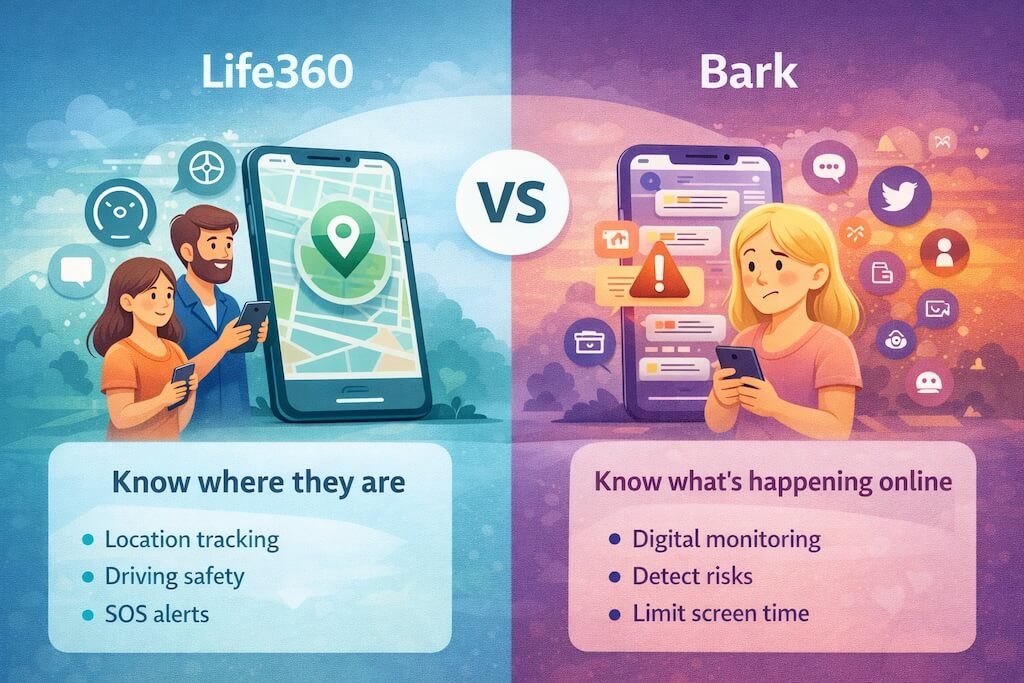
Life360 and Bark often get compared because they’re both used by parents — but they weren’t built to solve the same problem.
Life360 is a family location and safety app. Its core job is to answer questions like:
- Where are they right now?
- Did they arrive safely?
- Are they driving responsibly?
- Did something go wrong on the road?
Everything in Life360 points back to physical safety and coordination. It’s about knowing where your family is and reacting quickly if something feels off.
Bark, on the other hand, is a digital safety and monitoring platform. Its job is to look for warning signs inside a child’s online world:
- Bullying or harassment
- Self-harm or dangerous language
- Explicit or risky content
- Excessive screen time or unhealthy app use
Bark doesn’t focus on real-time location in the same way Life360 does, because that’s not its mission. It’s designed to surface signals, not track movement minute by minute.
This difference matters more than most parents realize.
If your worry is, “Are they where they said they’d be?” — Life360 feels natural.
If your worry is, “Is something going on that I don’t know about?” — Bark makes more sense.
That’s why many parents feel torn between the two. They’re not choosing between similar tools — they’re choosing which type of safety matters most in their home right now.
Feature Breakdown — What You Actually Get
This is where the difference between Life360 and Bark becomes very clear. There is some overlap, but the focus — and the experience — are not the same.
Location Tracking
Life360’s core strength is real-time location. You open the app and see where your family members are on a map, with frequent updates. It’s built for pickups, meetups, and “are they there yet?” moments.
Bark does offer location features, but they’re not the centerpiece. Location is there to add context, not to act as a live tracking map you watch throughout the day.
In short:
Life360 treats location as the product.
Bark treats location as supporting information.
Location History & Geofencing Alerts
Life360 is designed for this. You can set places like home, school, or work and get alerts when someone arrives or leaves. It’s simple and very much part of everyday family logistics.
Bark’s alerts work differently. Instead of focusing on movement between places, Bark prioritizes alerts about behavior or risk. Location history exists, but it’s not meant to replace a dedicated family tracking app.
Driving & Safety Features
This is one of Life360’s biggest selling points. It leans heavily into teen driver safety, with driving insights and emergency-style alerts meant to help parents respond quickly if something goes wrong.
Bark doesn’t position itself as a driving safety app. If car safety is a top concern in your household, Bark won’t feel like a full replacement for Life360 here.
Parental Controls Beyond Location
This is where Bark pulls ahead — by a wide margin.
Bark is built around monitoring and managing digital behavior. It looks for warning signs in texts, emails, and supported apps, sends alerts when something needs attention, and offers tools for screen time and web filtering.
Life360 doesn’t try to do this. It’s not a screen time manager or content monitor, and it doesn’t claim to be.
That’s the real trade-off:
Life360 helps parents manage movement and physical safety.
Bark helps parents manage online behavior and digital risk.
iPhone vs Android — How Life360 and Bark Actually Compare
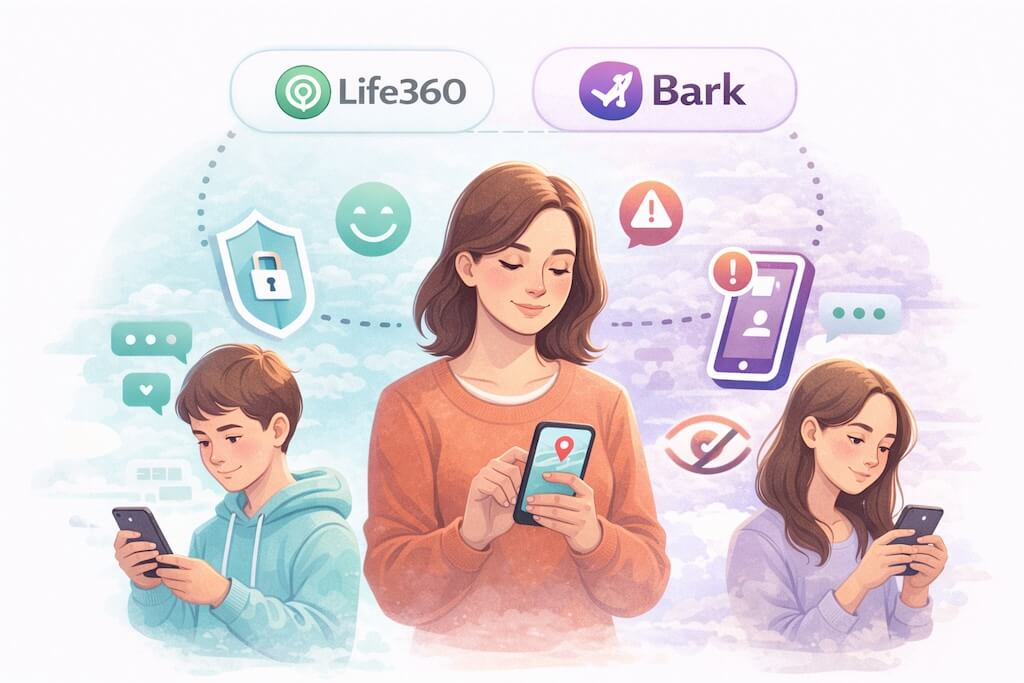
This is one of the most overlooked parts of the decision — and it matters a lot.
Both Life360 and Bark work on iPhone and Android, but they don’t work the same way on each platform. Phone operating systems place different limits on what apps can see and do, especially when it comes to monitoring.
Here’s the practical breakdown parents should know before choosing.
Life360: iPhone vs Android
| Feature | iPhone | Android |
|---|---|---|
| Real-time location | ✅ Yes | ✅ Yes |
| Location history | ✅ Yes | ✅ Yes |
| Geofencing alerts | ✅ Yes | ✅ Yes |
| Driving & safety features | ✅ Yes | ✅ Yes |
| App experience | Very similar | Very similar |
What this means:
Life360 behaves almost the same on iPhone and Android. As long as location permissions and battery settings are configured correctly, most families won’t notice a big platform difference.
That consistency is one of Life360’s strengths.
Bark: iPhone vs Android
| Feature | iPhone | Android |
|---|---|---|
| Location features | ⚠️ Limited | ✅ Yes |
| Monitoring depth | ⚠️ More restricted | ✅ More comprehensive |
| Screen time controls | ⚠️ Limited | ✅ Strong |
| App & web filtering | ⚠️ Partial | ✅ Full |
| Alerts for risky behavior | ⚠️ Depends on setup | ✅ Strong |
What this means:
Bark is significantly more powerful on Android. Android allows deeper system access, which lets Bark monitor more activity and apply stronger controls.
On iPhone, Bark still works — but it relies more on account connections, permissions, and Apple’s built-in limits. Parents using iPhones should expect a lighter monitoring experience compared to Android.
The Honest Platform Takeaway
- If your family uses iPhones only and your main concern is location and driving safety, Life360 fits naturally.
- If your child uses Android and you want serious digital safety monitoring, Bark performs best there.
- If your household is mixed, the choice often comes down to what kind of safety you value more right now.
Next, we’ll look at setup and ease of use, because this is where many parents think an app is broken — when it’s really a settings issue.
Setup & Ease of Use — Where Parents Get Frustrated
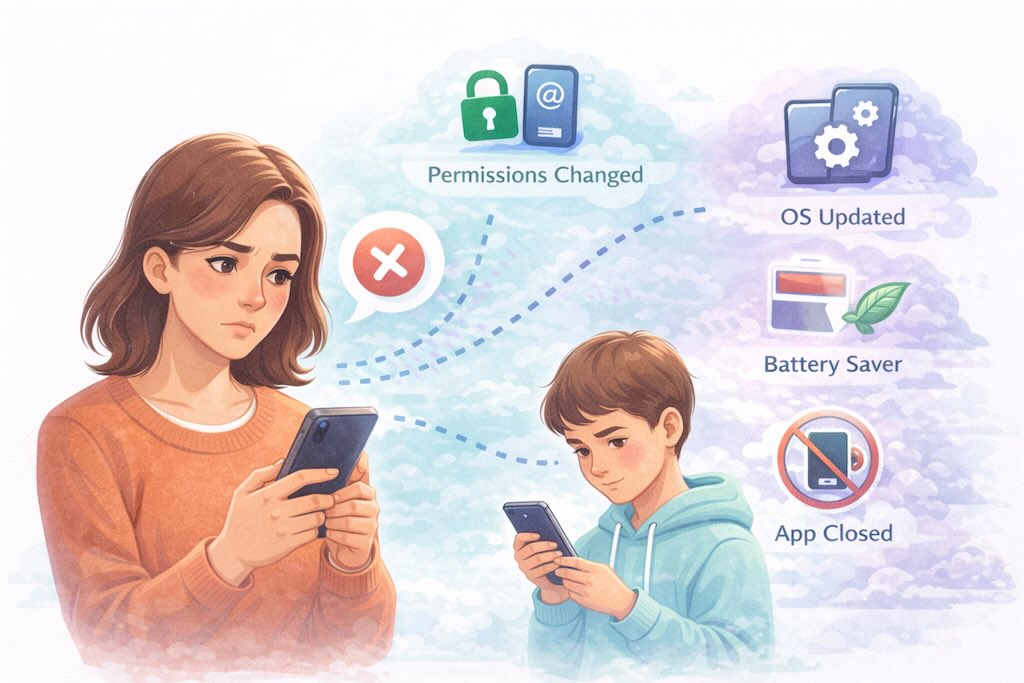
Both Life360 and Bark sound easy to set up. In practice, most complaints come from one place: phone settings, not the apps themselves.
Life360 Setup (Real-World Experience)
Life360 is quick to install and easy to invite family members. Where parents get stuck is with permissions.
If a phone has:
- Location set to “While Using” instead of “Always.”
- Low Power Mode enabled (iPhone)
- Battery optimization turned on (Android)
…location updates can lag or stop. When that happens, it looks like Life360 isn’t working, even though the phone is quietly blocking it.
Once permissions are set correctly, Life360 tends to run reliably in the background.
Bark Setup
Bark takes longer to set up, especially the first time.
Parents usually need to:
- Install Bark on the child’s device
- Connect supported accounts (email, social apps, etc.)
- Review alert settings and controls
- Configure screen time and filtering (if used)
It’s more involved, but that’s because Bark is doing more than just location tracking. On Android, setup pays off with stronger monitoring. On iPhone, setup still matters, but expectations should be adjusted due to Apple’s restrictions.
Why Both Apps Sometimes “Fail”
When parents say an app “stopped working,” it’s almost always because:
- The child changed permissions
- The phone updated its OS
- Battery-saving features kicked in
- The app was force-closed or restricted
Neither Life360 nor Bark can override the operating system.
Bottom line:
Life360 is faster to get running.
Bark takes more effort, but that effort unlocks deeper insights.
Privacy & Trust — What Parents Should Be Comfortable With
Any app that tracks location or monitors activity raises an important question: how much access is too much?
Life360 and Bark approach privacy very differently — and that difference is intentional.
Life360 continuously shares location data between family members. That means everyone in a circle can see where others are, depending on settings. For many families, this feels transparent and cooperative. The trade-off is that location data is always being collected in the background, which requires trust in how that data is handled and secured.
Bark is built around alerts, not constant surveillance. It doesn’t stream everything parents’ phones do. Instead, it scans for specific risk signals and notifies parents only when something needs attention. That design is meant to reduce over-monitoring while still surfacing serious concerns.
Neither approach is inherently “more private” — they’re just different.
What matters most is how the tool is used. When apps are framed as safety tools, they tend to work well. When they’re used secretly or punitively, kids often find ways around them.
The healthiest setups combine technology with trust, communication, and clear boundaries — not constant checking.
Pricing — What You’ll Actually Pay
Pricing is where many parents pause, because neither Life360 nor Bark is just a one-time download. Both are subscription-based, and what you pay depends on what level of protection you actually want.
Life360 follows a freemium model. You can use it for basic location sharing at no cost, but most families upgrade once they want meaningful features like extended location history, driving insights, and enhanced safety alerts. The free version works, but it’s intentionally limited.
Life360’s paid plans are generally easier to justify if:
- Location tracking is your main need
- You want driving and safety features in one place
- You prefer a lighter setup with fewer controls
Bark does not really have a “just try it forever” free tier. It’s designed as a full parental safety service, so meaningful use requires a subscription. Bark typically separates plans based on how much monitoring and control you want, such as screen time limits, web filtering, and alert depth.
Bark’s pricing makes more sense if:
- You’re concerned about online risks, not just location
- You want proactive alerts instead of manual checking
- You’re okay paying for insight rather than convenience
The important takeaway:
Life360 feels cheaper upfront, but often grows into a paid subscription over time.
Bark feels more expensive initially, but it’s priced as a comprehensive digital safety tool from day one.
Pros & Cons
Life360
- Strong real-time location tracking across iPhone and Android
- Easy to set up and manage for families
- Useful driving and physical safety features
- Works across carriers and mixed-device households
- Limited digital safety and content monitoring
- Best features require a paid plan
- Relies heavily on correct permissions and battery settings
- Not designed for screen time or app control
Bark
- Strong focus on online safety and behavioral alerts
- Screen time, app, and web filtering tools
- Alert-based approach instead of constant surveillance
- Especially powerful on Android devices
- More complex setup than location-only apps
- Monitoring features are more limited on iPhone
- Not a full replacement for real-time location tracking
- Requires a paid subscription to be useful
Which One Should You Choose?
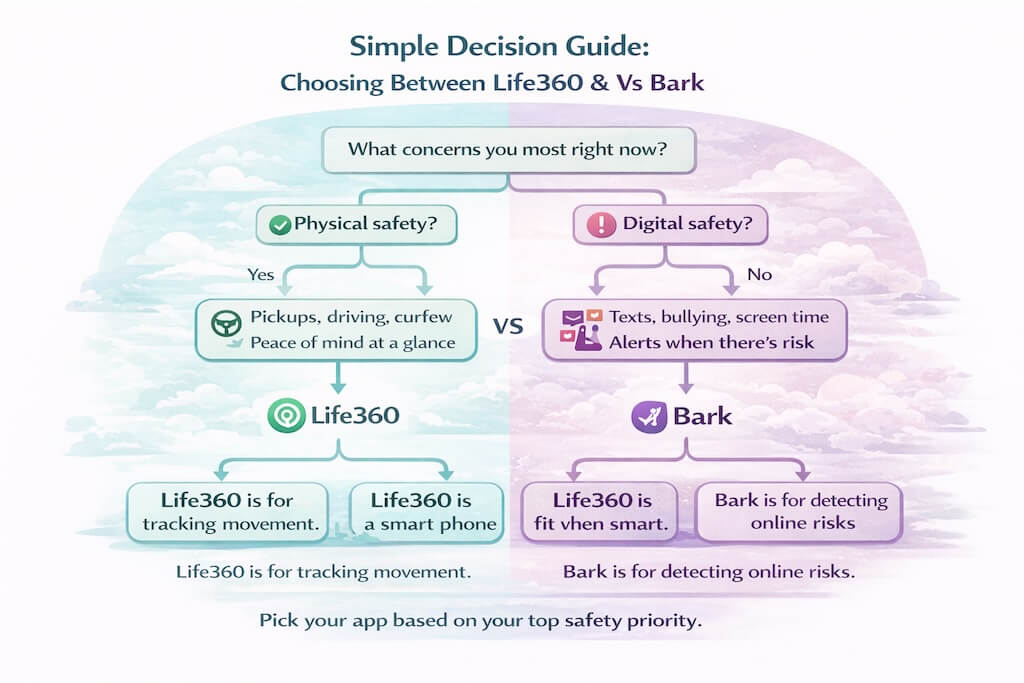
By now, the choice usually comes down to what keeps you up at night as a parent.
If your main concern is physical safety — knowing where your child is, when they arrive somewhere, or whether they’re driving safely — Life360 is the better fit. It’s built for location awareness, works consistently across devices, and keeps things simple.
If your concern is digital safety — bullying, risky messages, inappropriate content, or unhealthy screen habits — Bark is the stronger choice. It’s designed to surface warning signs early and help parents step in before small problems become big ones.
Here’s the simplest way to decide:
- Choose Life360 if you think in terms of movement, pickups, and real-world safety.
- Choose Bark if you think in terms of online behavior, mental well-being, and screen time.
And if you’re feeling torn, that’s normal. Many parents eventually realize that location tracking and digital safety solve different problems, and no single app does both perfectly.
The best choice is the one that matches the risks you’re most concerned about right now — not the one that promises to do everything.
Frequently Asked Questions
Does Bark track location like Life360?
Does Bark read all my child’s messages?
Is Life360 good for parental controls?
Which app works better on Android?
Can kids disable Life360 or Bark?
Which app drains battery more?
Can I use Life360 and Bark together?
But What If You Want More Than Location and Alerts?
Life360 helps you answer “Where are they?”
Bark helps you catch “Is something risky happening online?”
But a lot of parents eventually hit a third need:
They don’t just want location or occasional alerts — they want clear, actionable awareness of what’s going on, without turning parenting into surveillance.
That’s where a platform like Family Orbit fits.
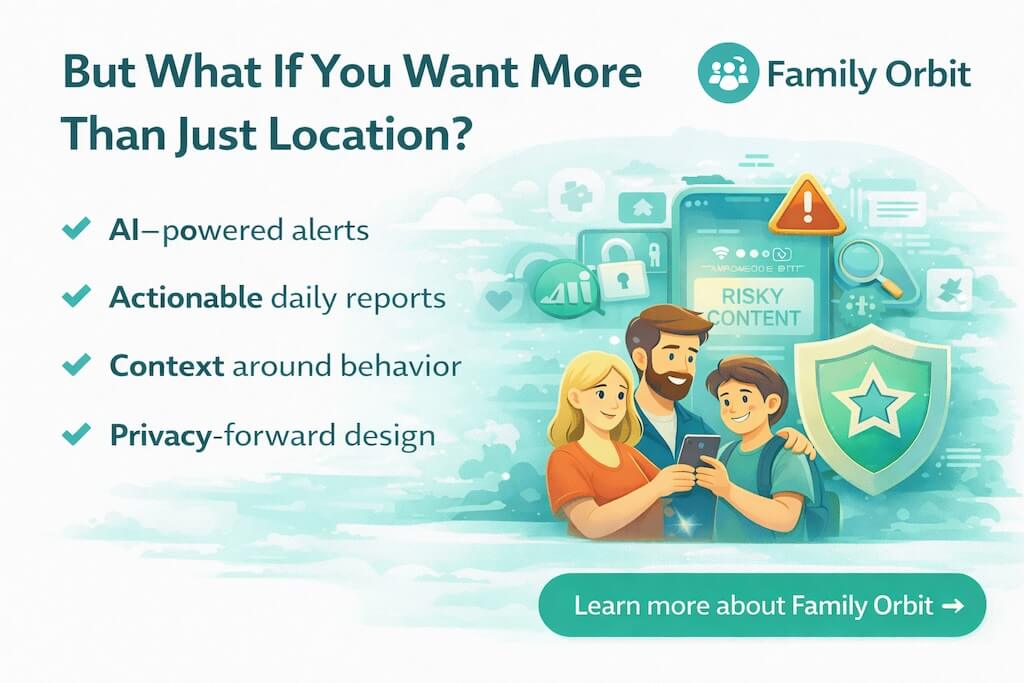
Family Orbit isn’t meant to be “another Life360 clone,” and it isn’t built to replace Bark’s alert model either. It’s a parental intelligence platform — designed to connect the dots and give you context you can actually use.
What Family Orbit adds (in plain terms):
- AI-powered alerts that highlight risky patterns (not just one-off events)
- Actionable daily reports so you’re not constantly checking apps
- Behavior context (what changed, what’s trending, what looks unusual)
- Privacy-forward design focused on safety, transparency, and compliance-first use
Simple way to think about it:
- Use Life360 for movement and physical safety
- Use Bark for digital risk alerts
- Use Family Orbit for the bigger picture and parental insights
If you’re the kind of parent who wants to stay aware without micromanaging — and you want your tools to work together as a safety system — Family Orbit is the layer that turns raw data into something you can act on.
- Monitor Calls & Text Messages
- View Photos and Videos
- Location Tracking & Geofence
- Monitor WhatsApp & Kik
- Detect & Alert for Inappropriate Activities
- Monitor Websites Visited
- Compatible with Android and iOS