
If your family uses iPhones, this question comes up sooner or later:
“Do we really need Life360… or is Apple Find My enough?”
Apple Find My is already on every iPhone. It doesn’t need a download, a subscription, or a setup tutorial. You turn it on, share locations, and it just works — quietly in the background.
Life360, on the other hand, is a dedicated family location app. It promises more: alerts, history, safety features, and support across iPhone and Android. For many families, it becomes the default recommendation when location sharing feels important.
But this comparison isn’t really about which one is “better.”
It’s about whether a third-party app adds real value over what Apple already gives you for free — or whether it just adds another app, another permission request, and another monthly charge.
That’s why so many parents search for Life360 vs Apple Find My. They’re not unhappy. They’re trying to simplify.
Quick Verdict (TL;DR)
Choose Apple Find My
Best when you want the simplest, built-in option.
- Your family uses iPhones and you only need basic location sharing.
- You want something free, simple, and already built into the phone.
- You care more about privacy + convenience than extra tracking features.
Choose Life360
Best when you need more than “where is the phone?”
- Your family uses mixed devices (iPhone + Android) or different carriers.
- You want alerts, more context, and (depending on plan) location history.
- You’re okay with a subscription to get the extra family safety features.
What Apple Find My Actually Does (and Doesn’t)
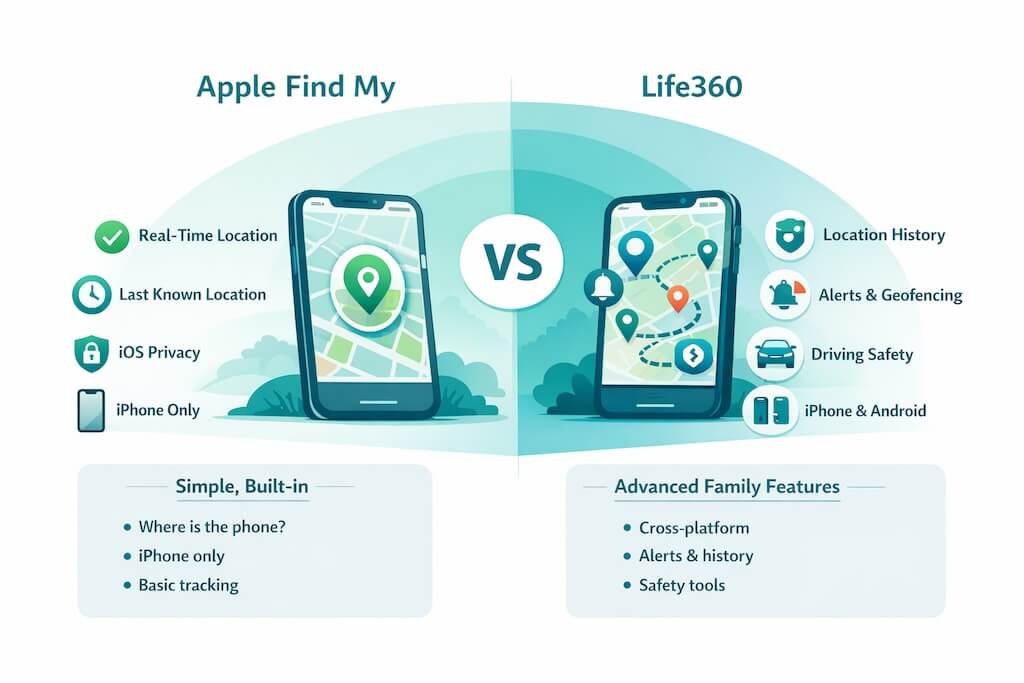
Apple Find My is built into iOS, so there’s no extra app to install and no subscription to manage. For iPhone families, it’s the simplest way to share locations because it’s already part of the system.
In real use, Find My is best at answering one question: where is the phone right now? It can show live location when the device is online, and it can also show a “last known location” if the phone goes offline. Because it’s integrated into iOS, it tends to feel lighter and more stable than many third-party trackers.
But Find My has clear limits. It isn’t designed as a “family safety” platform. You don’t get rich location history, and you don’t get the kind of alerts parents often want for daily routines. It also doesn’t solve cross-platform families — if you’ve got Android devices in the mix, Find My stops being a complete answer.
What Life360 Adds Beyond Find My
Life360 exists because many families want more than basic location sharing. It’s built to handle the “family coordination” layer that Find My doesn’t really focus on.
The biggest advantage is flexibility: Life360 works across iPhone and Android, and it’s designed around family groups with location features that go beyond the moment. Depending on the plan, it adds things like location history and alerts that make daily routines easier to manage (school arrivals, practice drop-offs, late nights, and so on). It also leans into “safety” features that Apple’s tool doesn’t try to be.
That said, those extras come with trade-offs. Life360 is more sensitive to permissions and phone settings, and it can feel less reliable if a device restricts background activity or location access. And unlike Find My, many of the features parents really want are behind a paid tier, so the comparison isn’t only “features” — it’s also “is it worth paying for what Apple doesn’t include?”
Feature-by-Feature Comparison
This is the simplest way to decide: compare what you actually get day-to-day. Apple Find My is built-in and minimal. Life360 is feature-rich, but it asks for more permissions (and usually money).
| Feature | Apple Find My | Life360 | What it means for parents |
|---|---|---|---|
| Real-time location | Yes | Yes | Both can show live location, but accuracy depends on GPS, signal, and settings. |
| Last known location | Yes | Depends | Helpful when a phone dies or goes offline. Find My is strong here for iPhone families. |
| Location history | No | Yes (plan-dependent) | History reduces “where were you?” arguments, but it can also invite over-checking. |
| Geofencing alerts | No | Yes | Arrival/departure alerts are one of Life360’s biggest quality-of-life upgrades. |
| Cross-platform support | iPhone only | iPhone + Android | If your family isn’t all iPhone, Find My stops being a complete solution. |
| Battery impact | Usually light | Can be heavier | Dedicated tracking can drain faster, especially if background settings aren’t optimized. |
| Setup complexity | Simple | Moderate | Life360 needs more permissions and cooperation. That’s where many parents get stuck. |
| Cost | Free | Free + paid tiers | Most families pay once they want meaningful alerts, history, or safety features. |
Rule of thumb: if your family is all iPhone and you want simple + free, Apple Find My usually wins. If you want alerts, history, or mixed-device support, Life360 is the upgrade.
Accuracy, Battery & Reliability (The Real-World Test)
On paper, Life360 and Apple Find My both “track location,” but in real life, the experience can feel totally different — and it’s not always because one app is better.
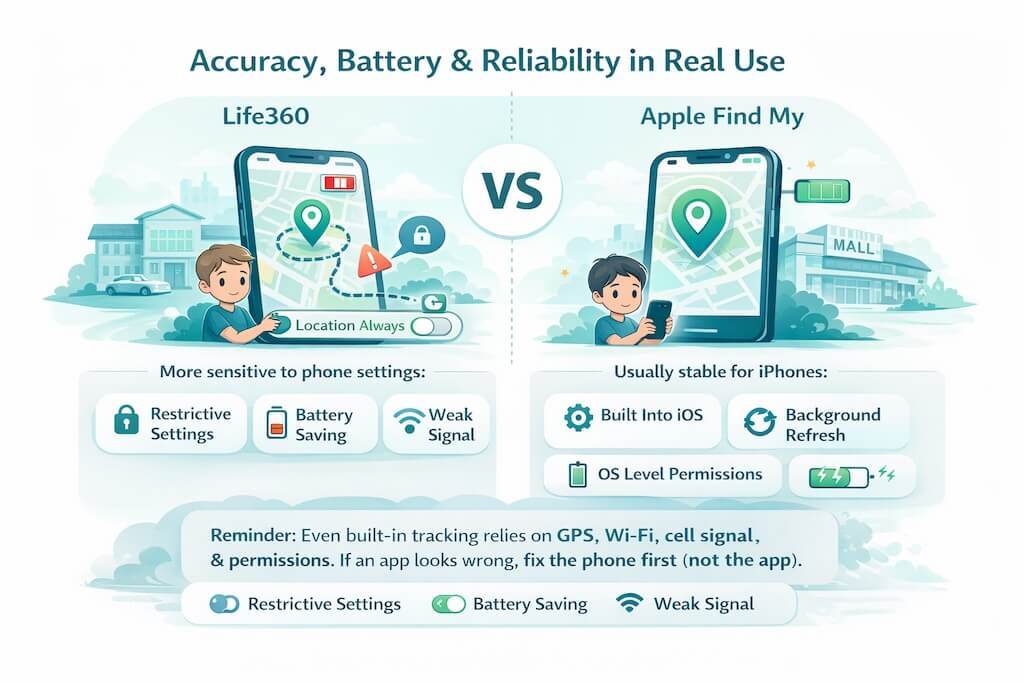
Here’s the truth: both rely on the same ingredients — GPS, Wi-Fi, cellular signal, and the phone’s permission settings. If a phone has a weak signal, aggressive battery saving, or restricted background location access, any tracking tool will look inaccurate.
Where Find My often feels smoother on iPhones is simple: it’s built into iOS. It doesn’t need to fight the system for background access the same way a third-party app does, and it tends to behave more predictably when the phone is locked.
Life360 can be very accurate — but it’s also more sensitive. If a child disables “Always Allow” location access, turns on Low Power Mode, or restricts background refresh, you’ll see delays, stale locations, or missing updates. That’s why many parents say “Life360 stopped working” when the real cause is a settings change.
One more thing: indoor accuracy has limits. Schools, malls, high-rises, and dense neighborhoods can make GPS bounce around. When you see location jumping by a block or two, that’s usually normal GPS behavior — not necessarily the app malfunctioning.
If you’re trying to decide between these two, the key question isn’t “Which one is more accurate?” It’s: Which one will stay reliable with the way your family actually uses phones? For iPhone-only households, Find My usually has the consistency advantage. For mixed devices or families who want alerts and history, Life360 earns its place — as long as permissions are set correctly.
Privacy & Data Trust — Apple vs Life360
Privacy is where the difference between these two tools becomes clearer — not because one is “good” and the other is “bad,” but because they’re built on very different models.
Apple Find My operates at the operating-system level. Location sharing is tied directly to your Apple ID and iOS permissions, and Apple’s public stance is that user data isn’t monetized through ads or resale. Controls live inside iOS, which makes consent clearer and harder to bypass accidentally. For many parents, that OS-level integration feels reassuring because it reduces the number of parties handling sensitive location data.
Life360, on the other hand, is a third-party service. It needs broader permissions to deliver features like alerts and history, and it manages location data on its own servers. That’s normal for apps in this category — but it does mean parents should spend time reviewing settings, understanding what’s collected, and deciding what level of sharing they’re comfortable with.
Neither approach is inherently unsafe. The real distinction is control and transparency:
- Apple keeps location sharing tightly scoped inside its ecosystem.
- Life360 adds functionality, but asks families to trust an additional platform with ongoing location data.
One more practical point: privacy isn’t just about policies — it’s about family dynamics. Tools that feel invisible and predictable tend to cause less friction. Tools that feel intrusive or confusing are more likely to be disabled by teens, which defeats the purpose entirely.
For families who prioritize minimal data exposure and simplicity, Apple’s approach often feels like the safer default. For families who want alerts, history, and coordination features, Life360 can make sense — as long as everyone understands how it works and why it’s being used.
Ultimately, privacy isn’t about choosing the app with the longest policy page. It’s about choosing the level of tracking that supports safety without eroding trust.
Which One Should You Choose? (A Simple Decision Guide)
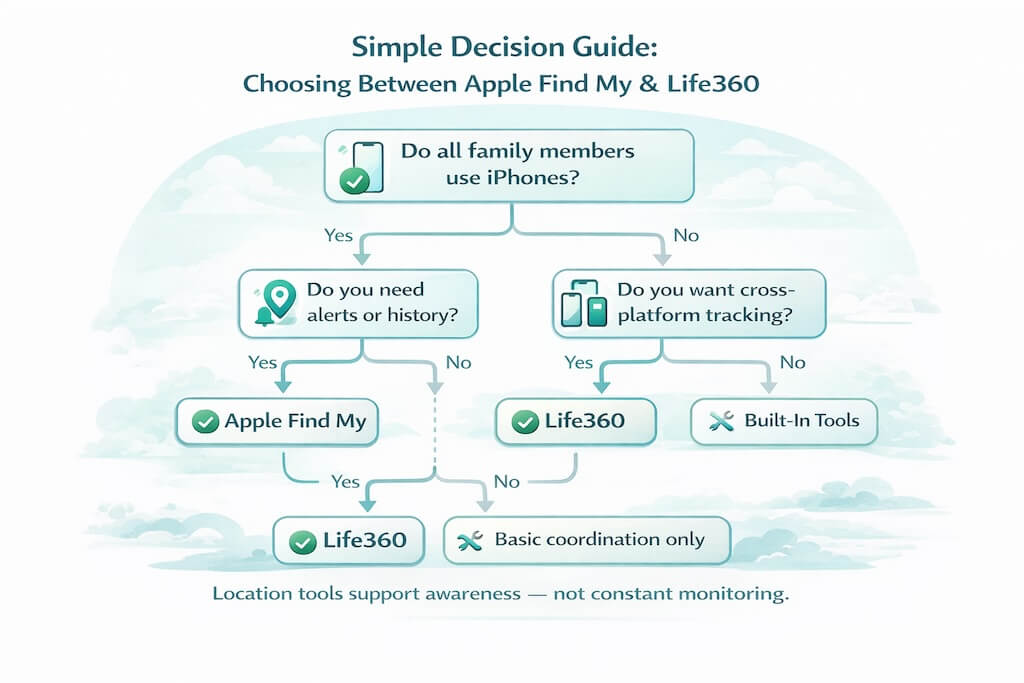
At this point, the right choice usually depends less on features and more on how your family actually uses their phones.
Choose Apple Find My if:
- Everyone in your family uses an iPhone
- You only need basic, occasional location checks
- You want something free, lightweight, and built into iOS
- Privacy and simplicity matter more than alerts or history
For many iPhone-only households, Find My quietly does the job without adding friction. There’s less to configure, less to break, and less to argue about.
Choose Life360 if:
- Your family uses a mix of iPhones and Android phones
- You want automatic alerts instead of manual check-ins
- Location history helps reduce “where were you?” questions
- You’re comfortable managing permissions and a subscription
Life360 makes sense when coordination matters — school routines, pickups, driving teens, or families spread across devices and carriers.
There isn’t a universal winner here. Apple Find My is often enough for families who want low-effort awareness. Life360 earns its place when families want more structure and automation around location sharing.
But What If Location Alone Isn’t Enough?
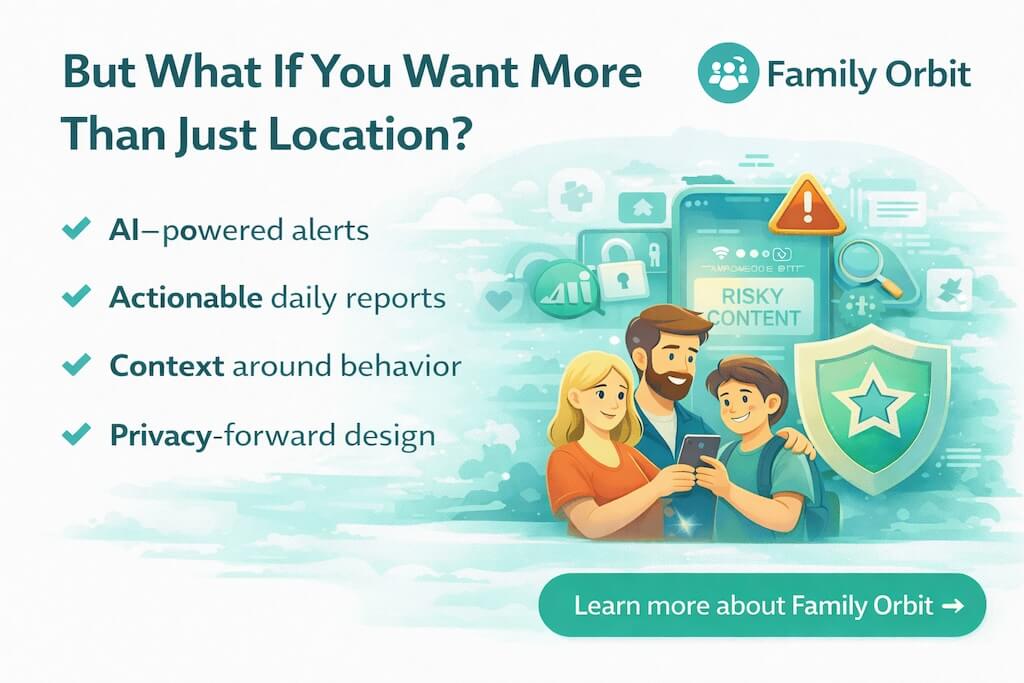
This is the point where many parents pause — even after choosing between Apple Find My and Life360.
Location answers where.
But it doesn’t always answer what’s going on.
Parents often realize that knowing a phone’s location doesn’t explain:
- sudden changes in behavior
- increased screen time late at night
- exposure to risky content
- or why conversations with their child suddenly feel harder
That’s not a failure of Apple Find My or Life360. They were never designed to provide that kind of context. They’re coordination tools, not awareness tools.
For some families, location is enough — especially with younger kids or simple routines. But as children grow older, many parents want signals, patterns, and insight, not constant map-checking.
This is where broader parental awareness platforms come into the picture. Not tools built for spying, but tools built to help parents stay informed, spot changes early, and have better conversations before problems escalate.
Location is often the starting point.
For many families, it isn’t the end.
Frequently Asked Questions (FAQs)
Is Apple Find My better than Life360?
Neither is universally better. Apple Find My works best for iPhone-only families who want simple, free location sharing. Life360 is better suited for families who want alerts, history, or cross-platform support.
Do I need Life360 if everyone in my family uses iPhones?
Not necessarily. Many iPhone families find Apple Find My sufficient for basic coordination. Life360 becomes useful if you want automated alerts, location history, or additional safety features.
Does Apple Find My work without an internet connection?
Partially. It can show the last known location and sometimes update via nearby Apple devices, but real-time tracking works best when the phone has internet access.
Can kids turn off Apple Find My or Life360?
Yes. If a child controls their phone, they can disable location sharing or change permissions. No consumer app can fully prevent this, which is why trust and transparency matter as much as technology.
Does Life360 drain battery more than Apple Find My?
It can. Because Life360 runs as a third-party app and provides continuous tracking features, it may use more battery — especially if background permissions aren’t set correctly.
Is Life360 safe from a privacy perspective?
Life360 is widely used, but it operates as a third-party service that handles location data on its own platform. Parents should review privacy settings and understand how data is collected and used before relying on it.
What’s the best option for mixed iPhone and Android families?
Life360 is usually the more practical choice for mixed-device households, since Apple Find My only works within the Apple ecosystem.
What if location tracking doesn’t answer all my concerns as a parent?
That’s common. Many parents start with location sharing and later realize they want more context, insight, or awareness around digital behavior — not just where a phone is at a given moment.
Sources include Apple documentation, Life360’s official feature descriptions, and independent family safety guidance.
- Monitor Calls & Text Messages
- View Photos and Videos
- Location Tracking & Geofence
- Monitor WhatsApp & Kik
- Detect & Alert for Inappropriate Activities
- Monitor Websites Visited
- Compatible with Android and iOS