
![Anonymous Instagram Viewer – 5 Ways to View Instagram Without an Account [Updated 2026]](https://www.familyorbit.com/blog/wp-content/uploads/2025/09/anonymous-instagram-viewer-809x485.jpg)
Ever clicked an Instagram link only to be greeted by a login wall? With more than 2 billion monthly active users, Instagram (now part of Meta) is a hub for news, entertainment, and personal stories. However, not everyone wants to sign up or log in just to view a post or profile.
The good news: it’s absolutely possible to view Instagram without an account. While there are some limitations (you can’t like, comment, or view private accounts), you still have plenty of options.
In this guide, we’ll explore five proven ways to browse Instagram anonymously — including Family Orbit’s free Anonymous Instagram Viewer tool.
Method 1: Use Family Orbit’s Anonymous Instagram Viewer (Best Overall)
If you just want to peek at a public Instagram profile—without logging in, creating an account, or getting stuck behind a “Sign in to continue” wall—your fastest move is a purpose-built viewer. That’s exactly what Family Orbit’s Anonymous Instagram Viewer does.
Why does this work so well
- No login, no hoops. Type a public @username, press View, and you’re in.
- Clean, fast UI. It loads profile info, grid posts, and videos without the clutter you see on third-party mirror sites.
- Mobile-friendly for real use. It’s lightweight enough to scroll a few dozen posts on your phone without chugging.
- Privacy-respecting. It only shows public content; no trickery, no question marks around legality.
What you can expect
- Public profiles only. If the account is private, you’ll get a polite “private” note, not a 404 or broken embed.
- Inline media. Photos render crisply; videos open inline and in a lightbox so you can watch comfortably.
- Pagination. A simple “Load more” button fetches additional posts without full page reloads.
Real-world use cases
- Checking a brand or creator’s latest posts before deciding to follow.
- Quickly verifying a public figure’s bio and link-in-bio without signing in.
- Casual browsing when you’re researching a topic or hashtag through public profiles.
TL;DR: For everyday, legit, quick viewing of public Instagram content, the Anonymous Instagram Viewer is the most reliable, low-friction option. Try it below.
Try It Now — Inline Username Form
Try the Anonymous Instagram Viewer
Enter any public Instagram handle and view posts without logging in.
Method 2: Browse Public Profiles via Direct Links
One of the simplest ways to look at Instagram without logging in is by going straight to a profile’s URL. Instagram allows anyone to access public accounts if you know their handle (username).
🔹 How it works
Every Instagram profile has a unique web address:
https://www.instagram.com/username/
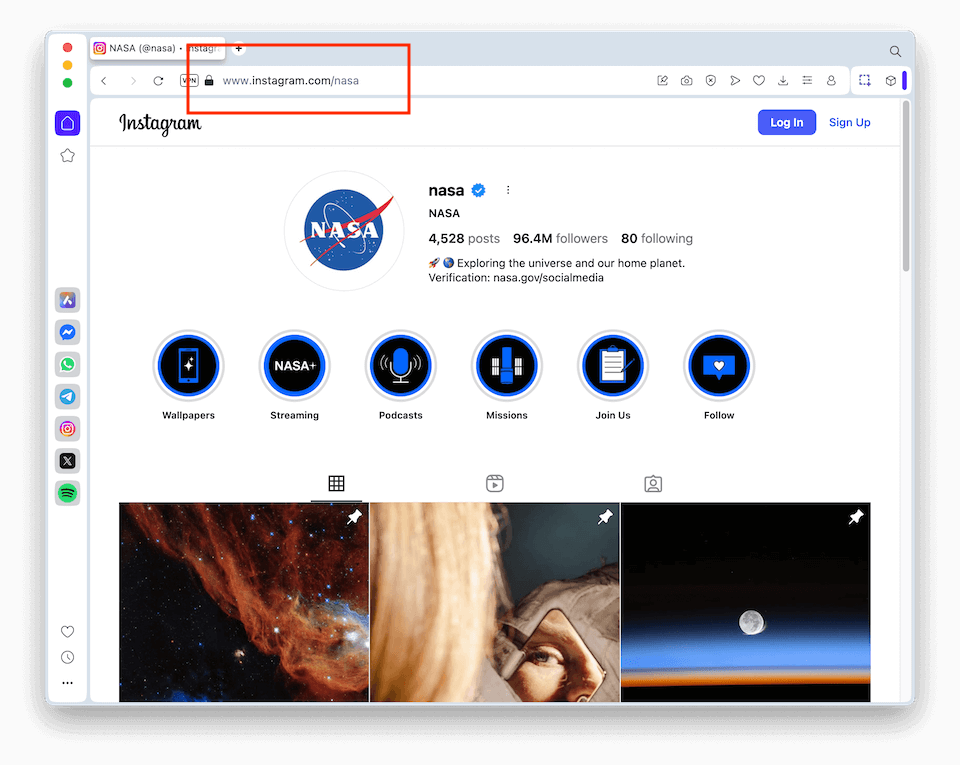
So if you want to check NASA’s official account, you just type:
https://www.instagram.com/nasa/
Press enter, and you’ll see their bio, follower count, profile picture, and a grid of recent posts. This works for any public account, whether it’s a celebrity, brand, or creator.
What you can do with direct links
- View bios → Read their profile description, links, and highlights.
- Browse posts → Click thumbnails to open individual photos or reels.
- See comments & likes counts → On public posts, you’ll see engagement details without needing to sign in.
- Bookmark or share → You can copy the link and send it to a friend — no account required.
Real-world use cases
- You see a news story referencing someone’s Instagram handle → type the URL and see the source directly.
- A friend shares a username in a chat, but you don’t have an IG account → paste it into your browser to view it anyway.
- You’re researching a brand or competitor → check their Instagram presence without logging into your own account.
Limitations
While direct links are straightforward, there are a few caveats:
- No access to private accounts. If the user has locked their profile, you’ll hit a “This Account is Private” message.
- Scrolling limits. Instagram may eventually prompt you to log in if you scroll too far down a feed.
- Stories & highlights. You usually can’t view live stories or highlights without logging in.
Pro tip
If you don’t know the exact handle, you can Google it with a query like:
site:instagram.com "username" or "brand name"
This often pulls up the official profile link in seconds.
✅ Bottom line: Direct profile links are a quick, no-frills way to view Instagram without an account. They’re great when you know the exact username, but not so helpful for discovery or hashtags. For richer browsing, tools like the Anonymous Instagram Viewer remove those roadblocks.
Method 3: Use Google Search Filters
Did you know you can use Google itself as an Instagram search engine? Since Instagram profiles and posts are publicly indexed, Google’s advanced search operators can help you find content without ever logging in. This is a powerful trick when you don’t know the exact username or want to explore topics.
How It Works
Google lets you restrict results to a specific domain using the site: operator. For Instagram, that domain is instagram.com.
So if you search for:
site:instagram.com pizza
Google will return Instagram pages related to pizza — profiles, hashtags, or posts it has indexed.
Practical Examples
Here are some ready-made queries you can try:
- Find a person or brand
site:instagram.com "nike"
Shows Nike’s official Instagram plus other related accounts.
- Search by username if you’re unsure
site:instagram.com starbucks
Finds the official Starbucks profile even if you didn’t know their handle.
- Search posts with a keyword
"puppy training" site:instagram.com
Returns Instagram content related to puppy training.
- Hashtags via Google
site:instagram.com "#travel"
Displays hashtag pages like instagram.com/explore/tags/travel/.

Why Use Google Instead of Instagram Search?
- No login needed. You don’t need an account at all.
- Broad discovery. Google’s index includes profiles, hashtags, and sometimes cached posts.
- Better keyword matching. You can find profiles even if you only know part of the name.
- Cross-device friendly. Works on any browser, mobile or desktop.
Limitations of This Method
- Not real-time. You’ll only see content that Google has crawled, not the latest posts.
- Not interactive. Clicking through still leads you to Instagram’s login wall if you scroll too deep.
- Private content hidden. Google cannot index private accounts.
- Index gaps. Not every post or profile is indexed — sometimes you’ll get partial results.
Pro Tip
Combine Google with other methods for best results. For example:
- Use Google to discover the right username.
- Then paste that handle into a direct link or into the Anonymous Instagram Viewer to actually browse posts without friction.
✅ Bottom line: Google search filters are a great way to discover profiles, hashtags, or public posts when you don’t know exactly where to start. Think of it as your Instagram discovery hack without logging in.
Method 4: Try Third-Party Instagram Browsers
Alongside direct links and Google tricks, there are a number of third-party Instagram browsers built specifically for people who want to peek at public Instagram content without logging in. These tools often scrape or mirror Instagram profiles, hashtags, and stories into a simplified interface.
Here are some of the more popular options in 2025:
1. Picuki
A well-known Instagram viewer that lets you search profiles, hashtags, and locations.
Pros:
- Clean interface, easy to use.
- Allows downloads of images.
- Works on mobile.
Cons: - Not always reliable; sometimes shows outdated content.
- Ads can be intrusive.
2. ImgInn
Focused on anonymous browsing of profiles, hashtags, and stories.
Pros:
- Can view stories and highlights without an account.
- Allows downloads of public posts.
- Simple search by username.
Cons: - Limited to public profiles only.
- Has occasional downtime.
3. InstaStories
Specializes in anonymously viewing and downloading Instagram Stories.
Pros:
- Watch Stories without notifying the profile owner.
- Supports highlight browsing.
- Free and mobile-friendly.
Cons: - Content can load slowly.
- Limited functionality beyond stories.
4. InstaDP
A niche tool for viewing and downloading Instagram profile pictures in full resolution.
Pros:
- Unique feature: shows high-res profile images.
- Works without login.
- Also supports Reels and posts.
Cons: - Feels like a “single-use” tool.
- Heavier ads than some competitors.
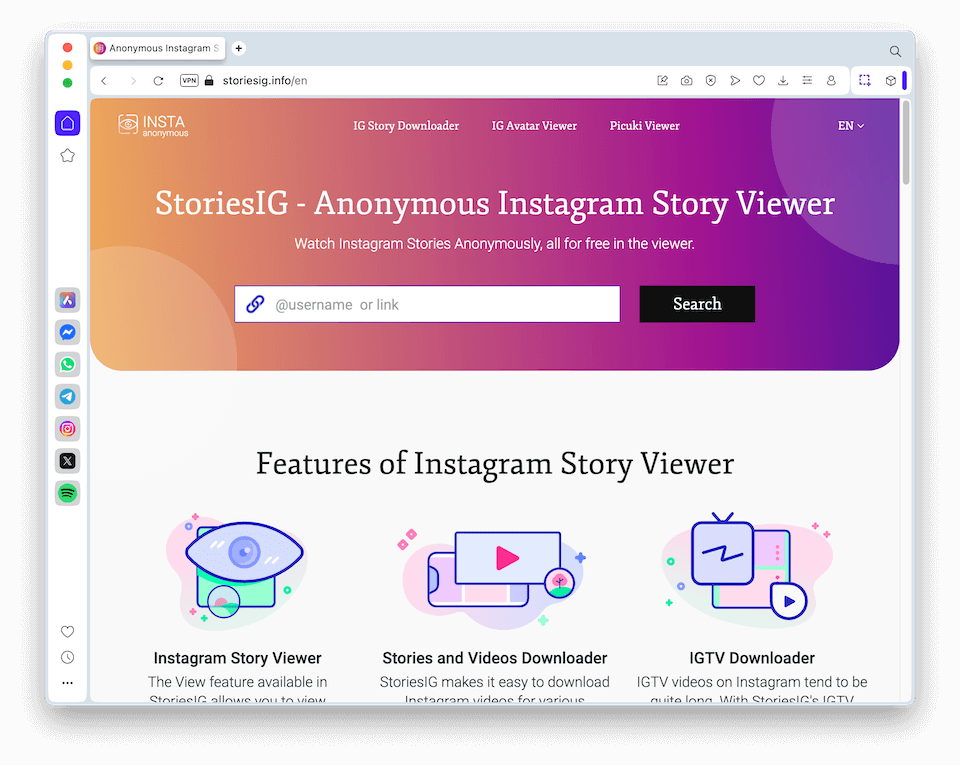
5. StoriesIG
Another browser focused on Instagram Stories and highlights.
Pros:
- View stories completely anonymously.
- Supports quick downloads.
- No account needed.
Cons: - Doesn’t cover full profile feeds.
- Interface looks outdated.
Why Use Family Orbit Instead?
While these tools can be handy, they’re often inconsistent — sometimes blocked by Instagram, sometimes overloaded with ads.
By contrast, Family Orbit’s Anonymous Instagram Viewer:
- Loads posts, images, and videos directly in a clean interface.
- Offers a stable, ad-free experience.
- Integrates seamlessly with other Family Orbit features if you’re a parent who needs more comprehensive monitoring.
✅ Bottom line: Third-party browsers are fine for quick, one-off viewing, but if you want a reliable, privacy-respecting experience, Family Orbit’s own viewer is the better long-term option.
Method 5: Check Cached or Archived Content
Sometimes you’re not looking for the latest Instagram posts — you want to see older content, or maybe even something that’s been deleted. In those cases, cached or archived versions of Instagram pages can come to the rescue.
How Cached Content Works
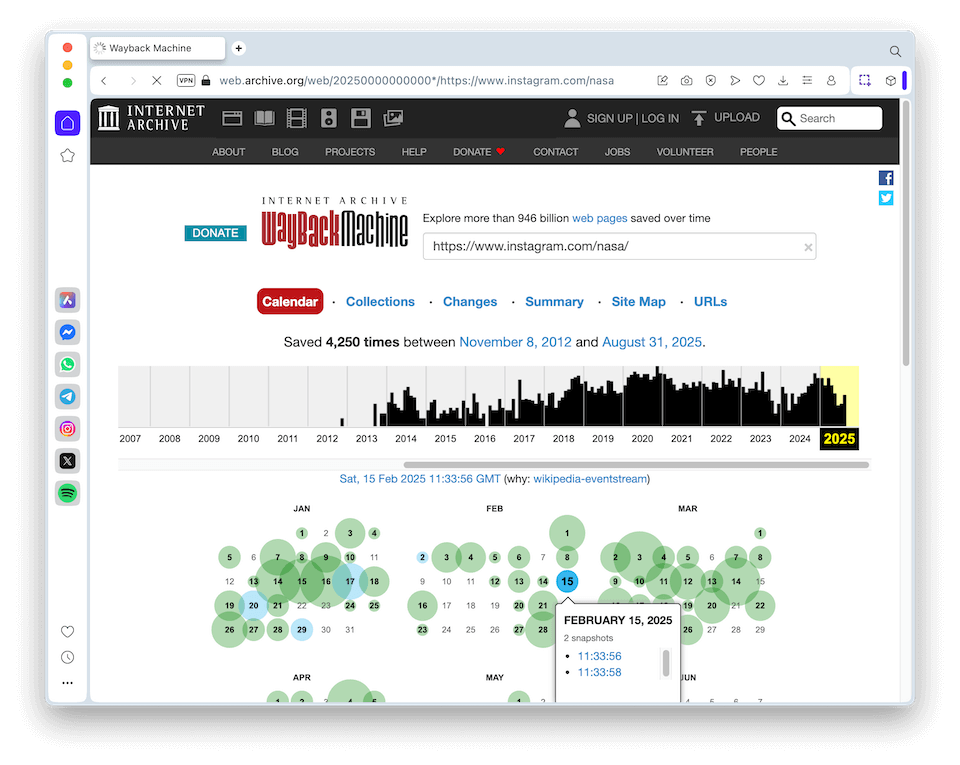
When Google crawls a page, it often stores a snapshot (cache). That snapshot may still be accessible even if the live version has changed or been taken down. Similarly, services like the Wayback Machine (Archive.org) capture and preserve versions of websites over time.
For Instagram, this means you might be able to see a profile’s bio or older posts that were public at the time of the crawl.
Tools You Can Use
- Google Cache
- Type the profile URL into Google, then click the little ▼ arrow (or three dots in newer versions) next to the result → choose “Cached.”
- You’ll see the page as it looked when Google last indexed it.
- Wayback Machine (archive.org/web)
- Paste the Instagram profile URL into the Wayback Machine.
- If the profile was public and crawled, you’ll see a timeline of snapshots you can browse.
- Third-Party Caching Sites
- Some niche tools save temporary caches of profiles and stories, but these come and go frequently.
What You Can See
- Old bios and profile descriptions.
- Public posts that were visible at the time of the snapshot.
- In some cases, comments and captions.
Limitations of Cached/Archived Methods
- Not real-time. You’re seeing a “frozen” copy, sometimes months old.
- No private content. Private accounts are never cached.
- Incomplete media. Photos and videos may not always load.
- Gaps in coverage. If Google or Archive.org never crawled a profile, no snapshot will exist.
Best Use Cases
- Research: Looking up how a profile looked in the past.
- Verification: Checking if a post once existed, even if it’s since been deleted.
- Curiosity: Comparing how bios, usernames, or follower counts have changed over time.
✅ Bottom line: Cached and archived content isn’t ideal for day-to-day browsing, but it’s a neat trick for researchers, journalists, and the simply curious. If you want fresh, consistent access to Instagram content without logging in, a tool like the Anonymous Instagram Viewer is still the go-to.
What You Can & Can’t Do Without an Account
You Can:
- View public profiles
- Read bios and captions
- Watch public reels and videos
- Browse hashtags and explore trending posts
You Can’t:
- View private accounts
- Like, comment, or follow
- Send or view DMs
Smarter Monitoring with Family Orbit
While anonymous Instagram viewing works for casual browsing, parents often need more than just a peek at public posts. That’s where Family Orbit comes in.
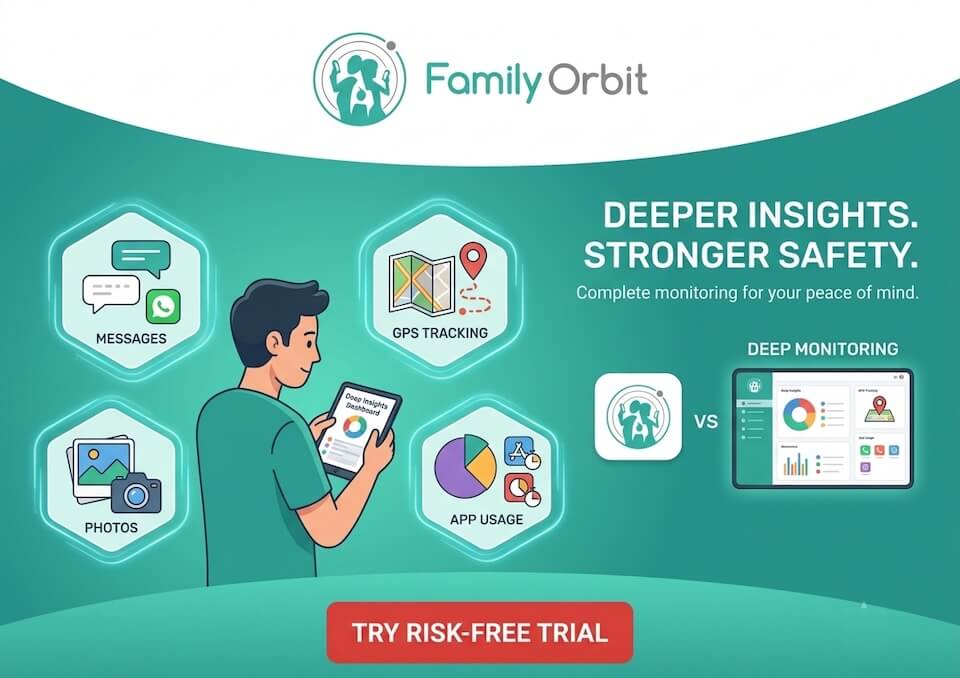
Family Orbit offers advanced parental monitoring with standout features like:
- AI-Powered Text Alerts 🧠
Automatically scans your child’s messages (SMS, iMessage, WhatsApp, and more) for risky keywords like bullying, drugs, or explicit content. You’ll get real-time alerts so you can step in early. - Geofencing & Location Tracking 📍
Know when your child arrives or leaves key places like school or home. - Photo & App Monitoring 📷
Review media and installed apps to spot potential risks.
👉 Learn more or start your free Family Orbit trial.
FAQs
Q1. Can I view private Instagram accounts anonymously?
No, only public content is visible. To monitor your child’s account responsibly, tools like Family Orbit are the right solution.
Q2. Is it legal to use Instagram viewers?
Yes, if you’re only accessing public content.
Q3. Can I see Instagram Stories without logging in?
Yes, if the account is public and the Story is still live.
Q4. Will Instagram know I viewed someone’s profile?
No. Viewing public content anonymously does not notify the account owner.
Conclusion
Instagram’s login wall can be frustrating, but you don’t always need an account to explore. Whether it’s through direct links, Google search, or a dedicated tool like Family Orbit’s Anonymous Instagram Viewer, you have multiple ways to stay curious without signing up.
And if you’re a parent who needs deeper insight, Family Orbit’s AI-powered monitoring gives you a smarter safety net — far beyond just anonymous browsing.
👉 Try the Anonymous Instagram Viewer today. Or, check out our Twitter Viewer Tool.
- Monitor Calls & Text Messages
- View Photos and Videos
- Location Tracking & Geofence
- Monitor WhatsApp & Kik
- Detect & Alert for Inappropriate Activities
- Monitor Websites Visited
- Compatible with Android and iOS