
Have you ever come across a photo and thought, “I wish I could find their Instagram profile”?
You’re not alone — I’ve done it too.
When my daughter’s soccer team posted a group photo online, I wanted to tag the photographer who took it. All I had was the picture. So, I went down the rabbit hole of finding people on Instagram with nothing but an image.
Here’s what I found: sometimes you can, but not always. It depends on whether that same picture already exists somewhere online.
Can You Really Find Someone’s Instagram with a Picture?
Yes — sometimes.
But there’s no magic “upload photo → get profile” button.
If the image or similar photos exist publicly (maybe reposted elsewhere, tagged, or used as a profile picture), reverse image tools can help you track it down.
But if the photo only lives in a private chat or locked-down account, you’re out of luck — and you should be.
1. Start with a Reverse Image Search (Google Images or TinEye)
Reverse image search is like telling Google, “Hey, have you seen this face before?”
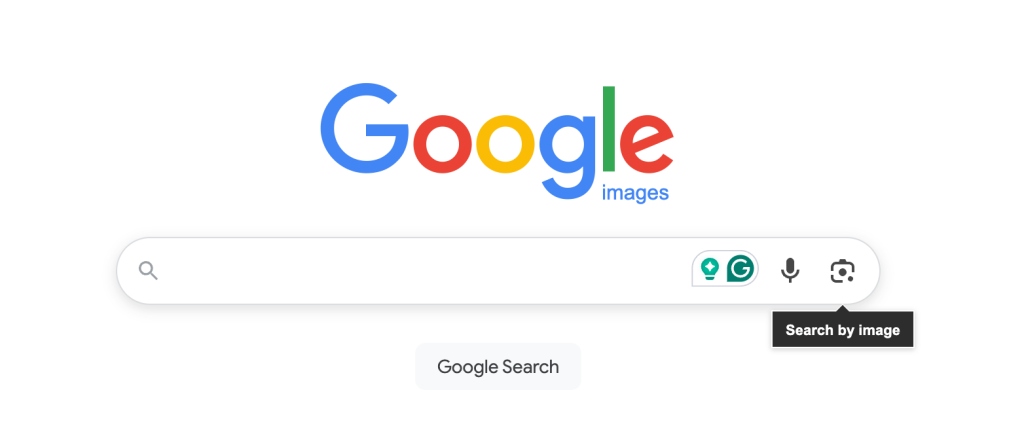
Here’s how to do it:
- Save the photo to your phone or computer.
- Go to Google Images (images.google.com).
- Tap the little camera icon.
- Upload the picture or paste its URL.
- See if similar images appear.
If you’re lucky, you’ll find the same photo linked to a website or public social post. TinEye.com is another great option — it focuses purely on matching visuals.
I once found a small business’s Instagram this way — they’d used the same logo across their website, Facebook, and Instagram.
But if you’re trying to find a person, especially if the picture isn’t public elsewhere, you’ll likely hit a wall.
2. Try Google Lens or Bing Visual Search
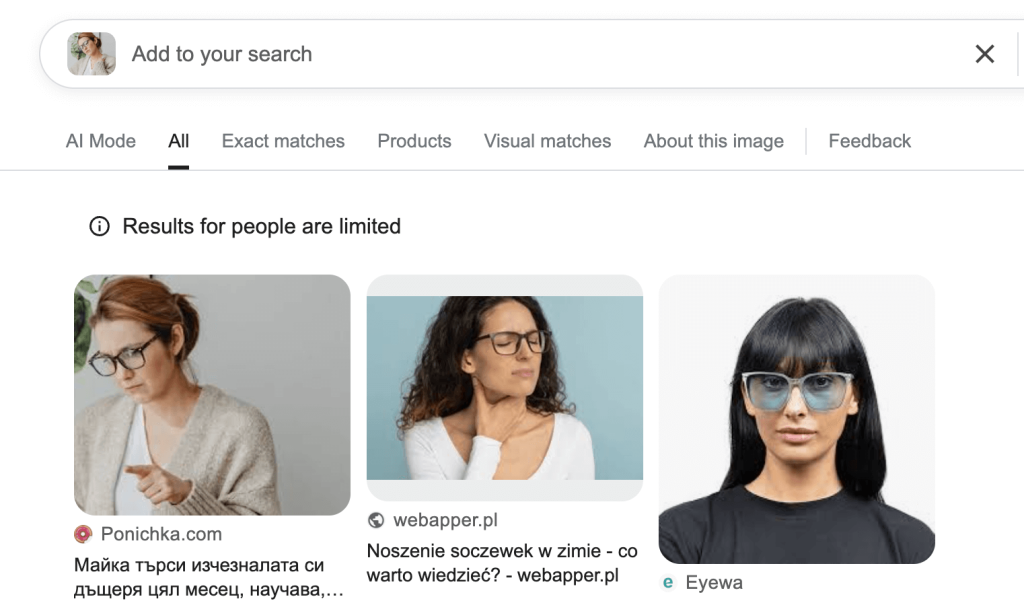
If you’re on your phone, tools like Google Lens make it even easier.
Open Lens, tap the image, and let it search for matches. It can recognize landmarks, logos, and even text on shirts or signs.
Once, I used Lens on a street-art photo my son took. The search pulled up the artist’s Instagram in seconds. Pretty cool.
But faces? That’s trickier. Unless the same picture appears somewhere public, Lens won’t reveal a private Instagram account. And it shouldn’t.
3. Check the Photo’s Metadata (If You Took It Yourself)
Every photo you take has hidden data — things like date, camera model, and sometimes GPS coordinates.
You can view it with any EXIF data viewer (tons of free apps do this).
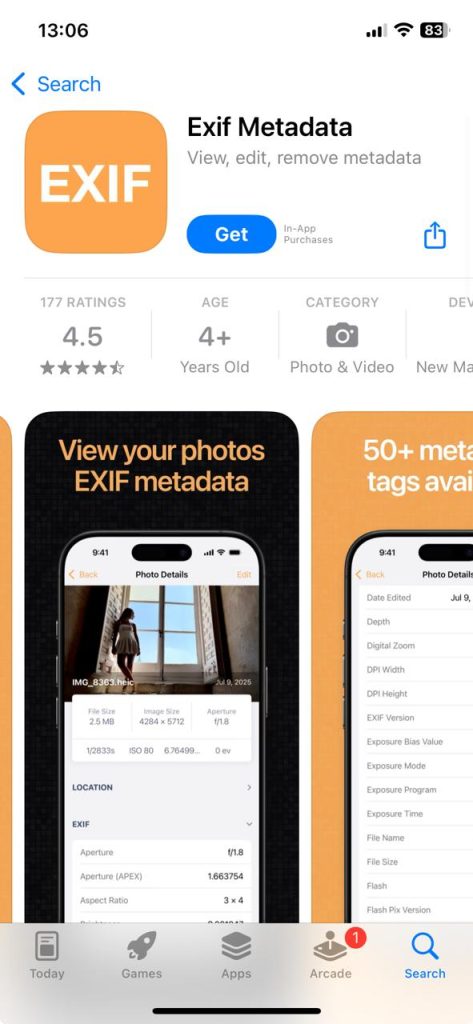
If you snapped the picture yourself and it’s yours, that data might remind you where it was taken — and maybe who was there.
But most social media apps strip that info when uploading, so you won’t get much from screenshots or downloads.
4. Look for Visual Clues
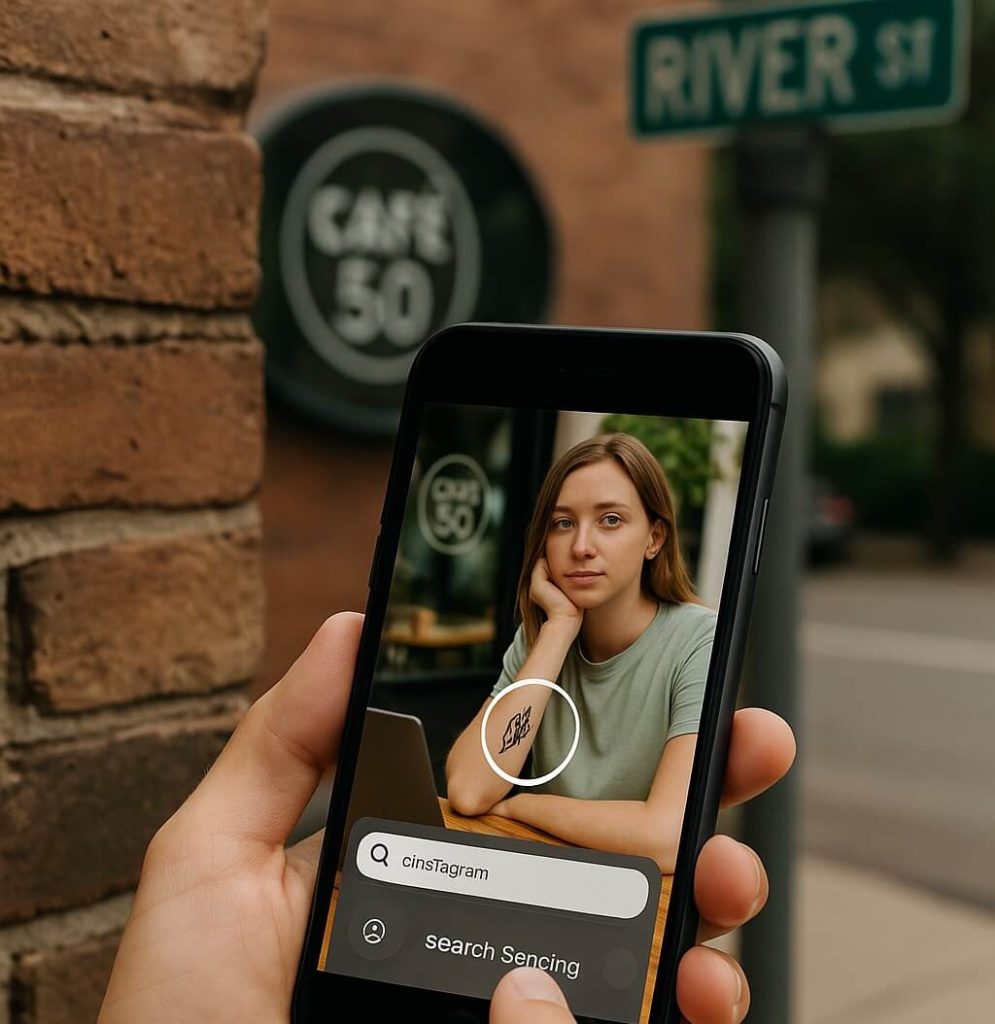
Sometimes the hints are right in front of you.
Zoom in on backgrounds.
A café logo, street name, or even a tattoo can help narrow your search.
Use those clues on Instagram’s search bar — type the location, business name, or hashtag you see in the photo.
If you’re patient, you can sometimes find the same image posted publicly — which might lead you to the original profile.
5. Ask Around
I know this sounds obvious, but don’t underestimate it. If you recognize anyone in the photo, ask them who the person is. Mutual friends can often tell you their handle faster than any AI tool.
Why You Might Not Find Them (And That’s Okay)
Private means private.
If a person’s Instagram is locked, and they haven’t shared that image publicly, there’s simply no ethical way to “find” them from a photo.
And honestly, that’s how it should be.
We all want our kids — and ourselves — to have some online privacy. Even as a tech entrepreneur, I’d never build something that breaks that wall.
The Dark Side: Beware of “Face-Matching” or “Photo Finder” Services
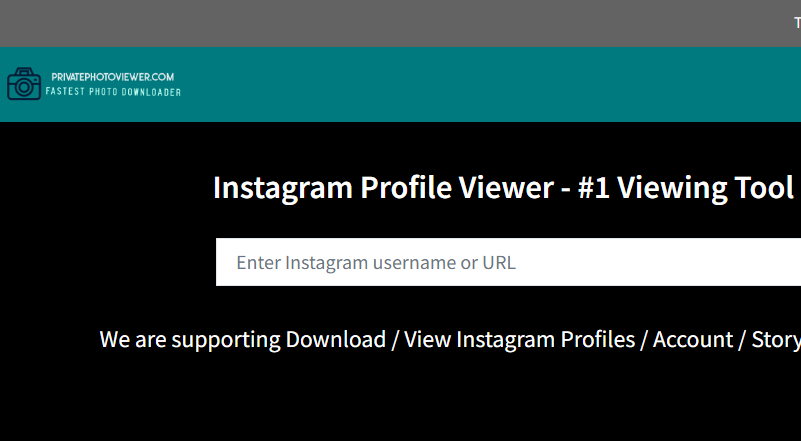
Now here’s where things get shady.
Some websites claim they can match any picture to an Instagram profile instantly. They look professional. They promise miracles. And they charge subscriptions.
But here’s the truth:
Many of them don’t have any real technology. They simply send fake follow requests or scrape random public data.
One reviewer on Trustpilot said, “I paid to find an Instagram account from a photo. They charged me again before even replying.”
Another said, “All I got was a random list of public accounts — none related.”
If a site asks for your Instagram login, card info, or promises “instant results,” that’s your sign to back away. It’s not just shady — it might be illegal.
For Parents: Here’s What Works Instead
If you’re a parent, like me, you probably just want to make sure your teen is safe. Maybe they’re talking to someone online, and you want to know who that person really is.
Here’s what I’d suggest:
- Talk to your teen first. Be honest about your concern.
- Ask to look together. Most kids are more open when they feel respected.
- Use tools built for safety, not spying.
That’s exactly why I built Family Orbit — to give parents the ability to protect, not pry. It lets you keep an eye on public posts, app activity, and device usage without crossing into private territory.
Technology can help families — but only when used with trust and transparency.
Quick Checklist Before You Start Searching
- ✅ Try reverse image search (Google Images, TinEye).
- ✅ Use Google Lens for landmarks and logos.
- ✅ Check metadata if it’s your photo.
- ✅ Search hashtags, usernames, and locations.
- 🚫 Avoid “photo finder” services that ask for payment.
- ❤️ If it’s about safety, talk to your child or use trusted parental tools.
FAQs
Can you find someone’s Instagram with a photo?
Only if that same image exists publicly somewhere online.
Does Google Lens find private Instagram accounts?
No. It can find public pages or lookalike photos, but not private profiles.
Is it legal to search someone’s picture online?
Yes — as long as you’re not using the image to harass, impersonate, or violate privacy.
Can I find Instagram from a picture on my phone?
You can try Google Lens or a reverse image search app. But it only works if that photo appears on the web.
What should parents do if worried about a stranger messaging their teen?
Start with an honest talk. Then, if needed, use a monitoring tool like Family Orbit to stay informed safely.
Final Thoughts
Finding someone’s Instagram with just a picture can feel like detective work — and sometimes it pays off. But most of the time, the internet won’t give you what it doesn’t already know.
And that’s okay.
Because privacy — especially for our kids — is something worth keeping sacred.
If you’re trying to stay safe or protect someone you love, don’t chase shortcuts. Use your common sense, your conversations, and the right tools for the job.
That’s how you stay smart — and kind — online.
- Monitor Calls & Text Messages
- View Photos and Videos
- Location Tracking & Geofence
- Monitor WhatsApp & Kik
- Detect & Alert for Inappropriate Activities
- Monitor Websites Visited
- Compatible with Android and iOS