Most parents already know they need to keep an eye on what their kids are doing online, but the problem is that the internet isn’t exactly designed to make your job easy. Kids stumble (and sometimes actively hunt) for things they shouldn’t see, and the web is packed with content that can mess with their confidence, their mental health, or their basic sense of safety.
Yes, parental control tools help a lot. They’re better than ever. But let’s not kid ourselves: relying on a couple of toggles in Screen Time isn’t enough when the internet is this massive and this chaotic. The real challenge for parents isn’t “How do I block websites?” — it’s “What on earth am I supposed to block in the first place?”
That’s why I put this guide together. No sugar-coating, no vague advice, and no generic top-10 lists. Just a clear, straightforward breakdown of the types of websites kids should never have access to — and why blocking them actually matters. If you want to take control of your home’s digital environment and protect your child from the worst corners of the internet, start here.
How This List Was Built
There are thousands of trash websites out there. You do not need all of them. You need the ones kids actually try to access.
To create this blocklist, we used:
- Large public DNS blocklists
- Safety reports from cybersecurity analysts
- High-traffic domain data
- Parental control usage patterns
- Online communities where kids share links
- Law enforcement flagged domains
- Internal safety insights from our team at Family Orbit
Every domain in the downloadable spreadsheet is real, active, and known to be harmful or inappropriate for minors. No placeholders. No filler.
Download the full blocklist of inappropriate websites
Get a ready-to-use spreadsheet with the main categories already organized for you:
- Explicit and pornographic sites
- Cam, chat and anonymous video platforms
- Dating and hookup websites
- Gambling and casino sites
- Self harm, drug and illegal activity communities
- Unsafe social networks and anonymous forums
- Shopping sites that fuel overspending
Want more than blocking? Try Family Orbit to actually see what your child is doing online.
This list was last reviewed and updated on November 25, 2025.
Parents need context, not just URL lists. Here is what matters and why.
1. Explicit and Pornographic Websites
Why This Matters

Kids who fall into porn at a young age are hit with content they are not emotionally ready for. Most of what they find is violent, degrading, unrealistic, and addictive. Teens do not know how to process it. They copy what they see. They develop habits that stick for years.
Common Warning Signs
- Late-night browsing
- Cleared history
- Searching for VPN apps
- Sudden secrecy with devices
Examples
Pornhub, Xvideos, XNXX, RedTube, SpankBang, Rule34, MetArt, Beeg, 8muses.
2. Dating Apps and Hookup Platforms
Notable examples:
- Match.com
- MeetMe.com
- OKCupid.com
- AdultFriendFinder.com
- Tinder.com (primarily used as an app)
- Bumble.com

Fake birthdays. Fake profiles. Instant messaging. Zero protection.
Dating apps were built for consenting adults, not minors. But teens find their way in, and predators do not need any ID to message them.
3. Cam, Voice, and Anonymous Video Platforms

If there is one group of websites that should never be accessible on a child’s device, it is this one. There is no age verification. There is no moderation. Kids get exposed to predators almost instantly.
What happens on these sites can follow your child for years. People record screens. People save chat logs. People manipulate kids into turning on their camera. It is a mess you do not want to deal with.
Notable examples:
- Chaturbate.com
- Bongacams.com
- MyFreeCams.com
- LiveJasmin.com
- SlutRoulette.com
4. Chat sites
Notable examples:
- Omegle.com [Closed as of November 2023]
- TalkWithStranger.com
- ChatRoulette.com
- Chat-Avenue.com
- PalTalk.com

Chat sites may seem innocuous, but the vast majority of chat sites do not provide chatting facilities for people who already know one another. Instead, they are sites that allow users to talk with strangers, which is, obviously, rather concerning for parents. As a result, chat sites should also be on your list of websites to block, as you have no control over who your child may find themselves interacting with.
5. Gambling, Betting, and Casino Sites
- BetOnline.ag
- FreeSpin.com
- Bovada.lv
- SlotoCash.im
- RoyalAceCasino.com

Online casinos look like games. Influencers stream gambling sessions like entertainment. Crypto casinos ignore age rules entirely.
Teenagers love risk. Gambling websites love teenagers.
6. Unsafe or Anonymous Social Networks
Notable examples:
4chan, 8kun, KiWIFarms, Yubo, Whisper, Telegram, Discord unmoderated servers.

Some platforms are built around anonymity, shock content, or unmoderated communities. These attract cyberbullies, predators, extremists, and anyone who wants to hide their identity.
Kids get sucked in because these sites feel exciting. The problem is what happens inside private groups, private servers, and hidden threads.
7. Self-Harm, Drugs, and Illegal Activity Websites
This category is disturbing but real. Some websites normalize self-harm, drug use, and dangerous behavior. They create echo chambers where kids get pushed deeper into harmful thinking.
You cannot reason with these communities. You can only block them.
Examples
Sanctioned Suicide, Bluelight, Erowid, TheHub, Shroomery, Opiophile.
8. Shopping and Overspending Sites
Notable examples:
Temu, Shein, Wish, Amazon, AliExpress, StockX, Farfetch.

Teens save their parents’ cards. Teens buy impulsively. Teens fall for scams.
If your child has a shopping habit or you have seen unexplained charges, this category is worth blocking.
Download the full blocklist of inappropriate websites
Download XLSXFor deeper protection, try Family Orbit.
How to Block These Websites Properly
Blocking works, but only if you use the right method. Here are the four that actually matter.
1. Block at the Router
This protects every device connected to your WiFi.
Generic steps:
- Open your router settings.
- Go to Parental Controls or Access Restrictions.
- Add domains to the blocklist.
- Save and restart the router.
Most routers keep it simple. If yours does not, switching DNS is easier.
2. Use DNS Filtering
This is one of the most effective and clean ways to block categories.
Click here to learn how to do it.
Cloudflare Family
DNS: 1.1.1.3 and 1.0.0.3
Blocks adult content and malware.
OpenDNS FamilyShield
Easy setup. Good coverage.
CleanBrowsing Family Filter
More aggressive filtering. Ideal for kids.
3. Block on Each Device
iPhone
Settings > Screen Time > Content Restrictions > Web Content > Limit Adult Websites.
Android
Use Digital Wellbeing controls and install filtering tools.
Windows or Mac
Use local DNS or hosts file blocking if you know what you are doing.
Download the full blocklist of inappropriate websites
Download XLSXFor deeper protection, try Family Orbit.
4. Use Parental Control Software
Manual blocking works only until your child figures out the next workaround. Kids switch devices, use school iPads, install alternative browsers, or find mirror domains that slip through basic filters. You need controls on the device itself, not just your home WiFi. According to FOSI, only about 51% of parents use parental controls on tablets, and this drops significantly on other devices.
For parents who want the simplest built-in option:
On Apple devices:
Use Screen Time. It is free, built into every iPhone and iPad, and does a decent job at blocking adult websites and limiting app usage. It is not perfect, but it is a solid first step.
On Android devices:
Use Family Link. It lets you set app limits, block websites, and monitor basic activity right from your Google account. Again, not perfect, but better than nothing.
These built-in systems are good for basic restrictions.
They do not give you visibility. They do not warn you when something is wrong. They do not help when your child moves to another network or installs a new app.
This is where Family Orbit comes in.
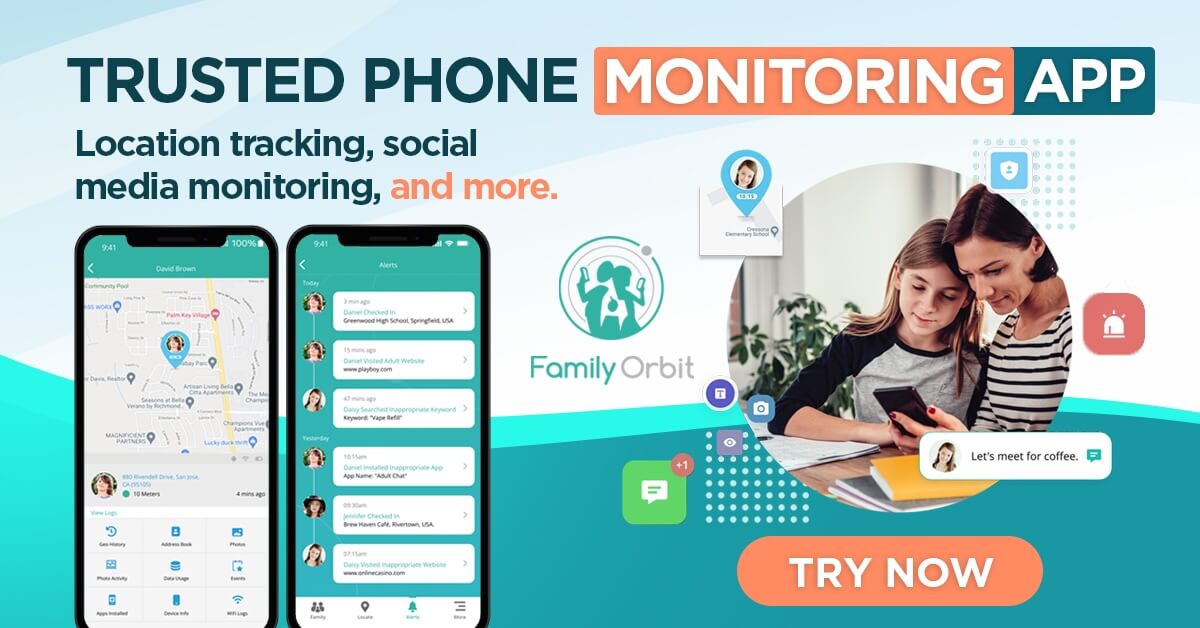
Family Orbit provides monitoring and context, not just walls. It lets you see what is actually happening:
- Location tracking
- Photos with AI alerts for risky content
- App usage patterns
- Text logs on Android
- Browsing history
- WiFi connection history
- Contact and call logs
Blocking is only one layer. Kids always find cracks.
Monitoring is the second layer that tells you what they are doing when you are not looking.
Use Screen Time or Family Link for the basics.
Use Family Orbit to stay ahead of the real problems.
Final thoughts
It’s important to note that even if you were to block access to every type of site mentioned above, it would only take a matter of months before your efforts were once again rendered incomplete. The internet is constantly growing, and new non-child-friendly sites are being launched almost daily.
As a result of this, it’s helpful if you try to frame website blocking as an ongoing task, rather than something you can tick off a to-do list and push to the back of your mind. By continually keeping an eye out for newly launched sites – and blocking those that do not meet your standards – you can be sure that your child’s internet usage will always be safe, secure, and suitable for their age group.
- Monitor Calls & Text Messages
- View Photos and Videos
- Location Tracking & Geofence
- Monitor WhatsApp & Kik
- Detect & Alert for Inappropriate Activities
- Monitor Websites Visited
- Compatible with Android and iOS

![5 Free Ways To Block Videos On YouTube App [2024]](https://www.familyorbit.com/blog/wp-content/uploads/2024/05/block-videos-on-youtube-app-300x180.jpg)