Do you ever wonder where your child goes once the school day is over? Do you sometimes question whether they’re being fully honest about where they’re heading or who they’re spending time with? Every parent worries about their child’s safety — especially when there are so many risks tied to phones, friends, and online strangers.
It’s completely normal to feel this way. Wanting clarity about your child’s whereabouts doesn’t make you overprotective — it makes you a responsible parent. That’s why so many parents look into whether it’s possible to track a child’s phone location discreetly or without installing extra apps.
Here’s the important part: modern devices do offer built-in ways to share or check a child’s location, and many of these methods can be set up with minimal friction. But they also come with requirements, limitations, and privacy rules that every parent needs to understand before using them.
In this guide, we’ll walk you through the safest and most reliable ways to access your child’s real-time location — including methods that use built-in phone features, carrier tools, and parental-control options. We’ll also be clear about what works, what doesn’t, what requires setup on the child’s device, and how to stay on the right side of privacy and the law.
Let’s get started — because understanding your child’s location is ultimately about protection, not surveillance.
Why Track Your Child’s Cell Phone Location?
Every parent worries about their child’s safety — and with good reason. Kids today move between school, activities, friends’ houses, and online spaces that weren’t part of our world growing up. It’s harder than ever to keep an eye on them without feeling intrusive or overbearing.
Reports from organizations like the National Center for Missing & Exploited Children show that kids routinely encounter situations that make them uncomfortable — whether it’s a stranger interaction, getting lost, or being somewhere they shouldn’t be. In moments like these, knowing your child’s real-time location isn’t about control; it’s about being able to step in when it matters most.
That’s why learning how to discreetly track their phone location — without installing suspicious apps — is so critical today. We will show you how to track a cell phone’s location.
What’s Actually Possible (and What Isn’t)
Before we go any further, it’s important to be honest about what you can and cannot do when it comes to tracking a phone’s location. A lot of pages promise “magic” solutions that simply don’t exist — and some are outright scams.
❌ Common Myths (Not How It Works)
- “Track any phone secretly with just a number” – this almost never works in real life.
- “100% invisible tracking without ever touching their phone” – not realistic with modern devices and privacy protections.
- “Live GPS from a simple number lookup” – most of these services are misleading at best, or scams at worst.
✔ What Is Actually Possible
- Device-level location sharing using built-in tools like Find My iPhone or Find My Device.
- Built-in parental controls that include location features as part of a family account.
- Consent-based real-time tracking via parental-control or safety apps.
- Carrier-level family plans that estimate a phone’s location through the mobile network.
- Temporary location sharing via links or live location sessions for check-ins and emergencies.
Being clear about these limits helps you avoid false promises, stay on the right side of the law, and choose tools that actually keep your child safer.
A Reliable & Transparent Tool for Tracking Your Child’s Phone Location

If you’re looking for a safe and legally compliant way to see your child’s real-time location — along with other important safety insights — Family Orbit provides a responsible and parent-approved solution.
- ✔️ Real-time location tracking with geofence alerts
- ✔️ Works for both iPhone and Android (setup varies by device)
- ✔️ No app installation required for iPhone iCloud-based monitoring
- ✔️ Android version requires a one-time installation on the child’s device
- ✔️ Secure, private, and designed for parental supervision
- ✔️ Free trial available — explore all features safely
Family Orbit combines accurate GPS tracking with meaningful safety features like location history, battery reports, photo monitoring, and usage alerts. It’s built for parents who want a clear, transparent way to keep their children safer — without resorting to shady or unreliable tracking tricks.
5 Practical Ways to Track Your Child’s Phone Location
Parents often search for “without them knowing,” but the reality is more nuanced. Modern phones — both Android and iPhone — have strong privacy protections, and most reliable tracking methods require some level of setup, permission, or family account sharing.
Still, there are several smart ways to see your child’s real-time location using built-in tools, family-sharing features, carrier services, or parental-control solutions. Some require setup on the child’s device, and some work through accounts you already have.
Before we walk through each method in detail, here’s a quick comparison of what’s possible, how each option works, and the limitations you should be aware of. This helps you quickly choose the method that’s safest and most realistic for your situation.
| Method | Android | iPhone | Setup Needed | Cost | Best For |
|---|---|---|---|---|---|
| Find My Device | ✅ | ❌ | Requires Google account enabled on device | Free | Quick Android location checks |
| Find My iPhone | ❌ | ✅ | Requires Apple ID or Family Sharing | Free | iPhone tracking via iCloud |
| Google Maps | ✅ | ✅ | Requires child to turn on location sharing | Free | Mutual family location sharing |
| Carrier Family Services | ✅ | ✅ | Requires child on same mobile plan | Paid | Network-based real-time updates |
| Number Tracker (Link-Based) | ⚠️ | ⚠️ | Child must click a consent link | Free (Limited) | One-time location requests |
| Family Orbit (Parental Control) | ✅ (App install) | ✅ (iCloud setup) | One-time setup depending on device | Paid (Free Trial) | Full monitoring with reports & alerts |
Method 1: Track Your Child’s Android Phone With Google’s Find My Device Hub
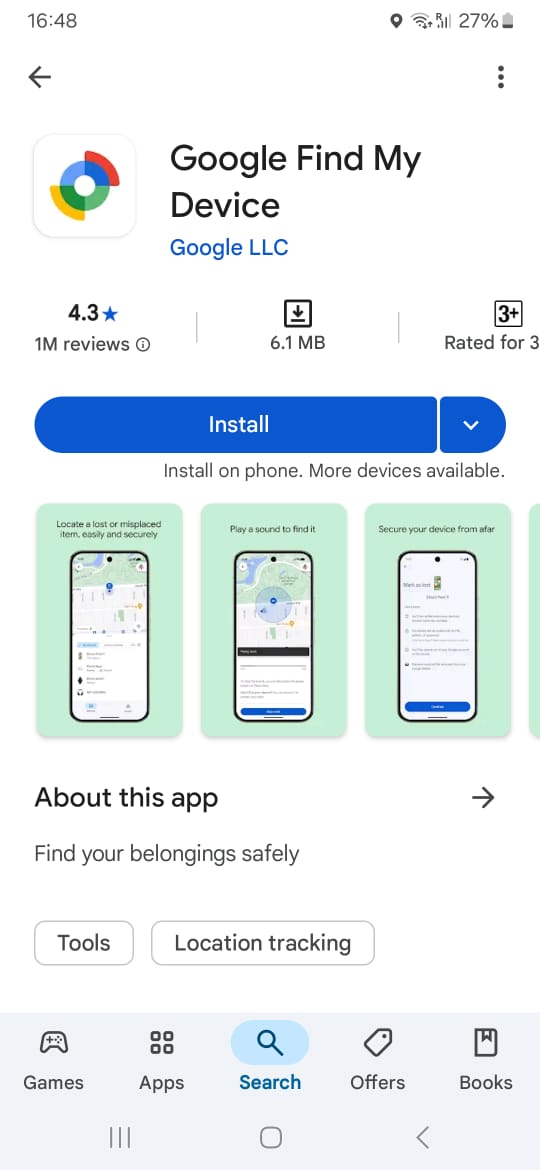
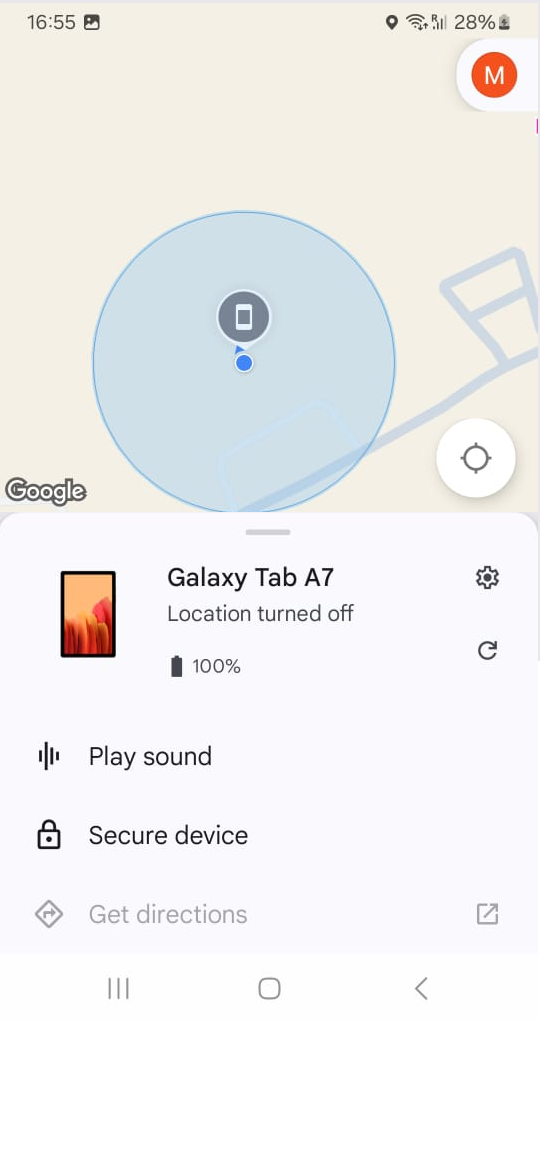
If your child uses an Android phone, it likely includes Google’s new Find My Device Hub (previously known as “Find My Device”). This tool is designed to help locate lost or misplaced Android devices, and parents can also use it — as part of a shared or family-managed Google account — to check a device’s last known or current location.
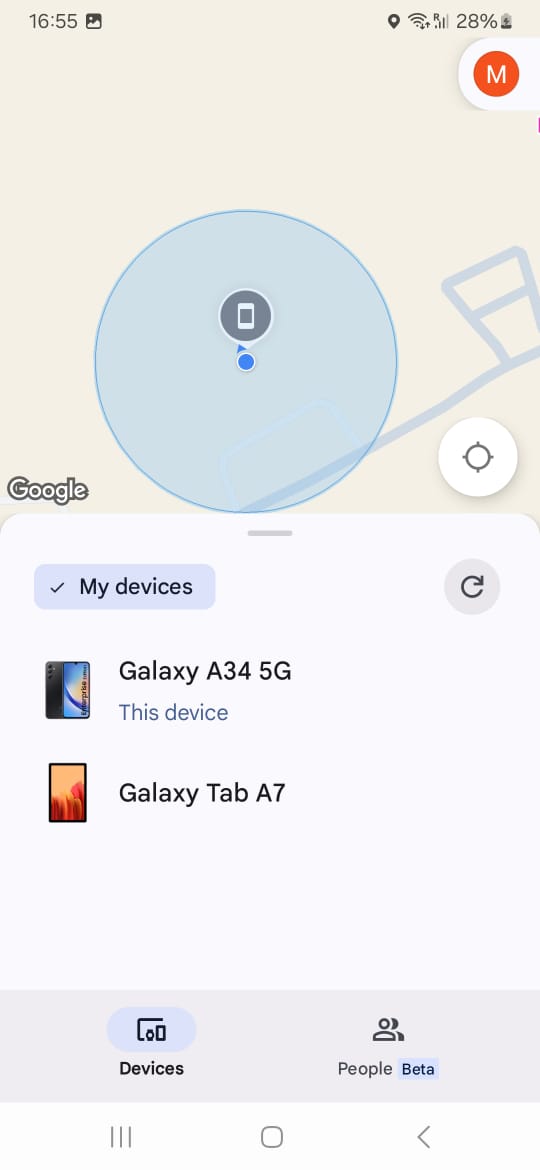
To use it, you’ll need access to the Google account that’s signed in on your child’s device. After setup, you can open the Find My Device Hub from your own Android device or from any web browser. The Hub will display your child’s phone on an interactive map, showing its most recent location.
The dashboard also includes helpful security and recovery functions:
- Play a sound to help locate a misplaced device
- Secure the device by locking it remotely
- Reset the screen lock if needed
- Erase the device if it’s lost or stolen
These features are primarily meant for device safety, but they can also support parents who want reassurance about their child’s location.
Step-by-Step: How to Use the Find My Device Hub
- Open the Find My Device app (preinstalled on most new Android phones) or download it from the Google Play Store.
- Sign in using the Google account linked to your child’s device.
- Open the Find My Device Hub dashboard to view the device’s real-time or last-known location.
- Use the available tools — Play Sound, Secure Device, Erase Device — if needed for safety or phone recovery.
These tools exist for security and recovery, but they’re also useful for parents who want to stay informed about their child’s whereabouts.
Method 2: Track Your Child’s iPhone With “Find My iPhone.”
If your child has an iPhone, Apple provides a similar feature called Find My iPhone, which is part of Apple’s “Find My” ecosystem. Most iPhones have it enabled during initial setup, but you can also turn it on manually via:
Settings → Apple ID → iCloud → Find My iPhone
Once activated, you can view the phone’s location via:
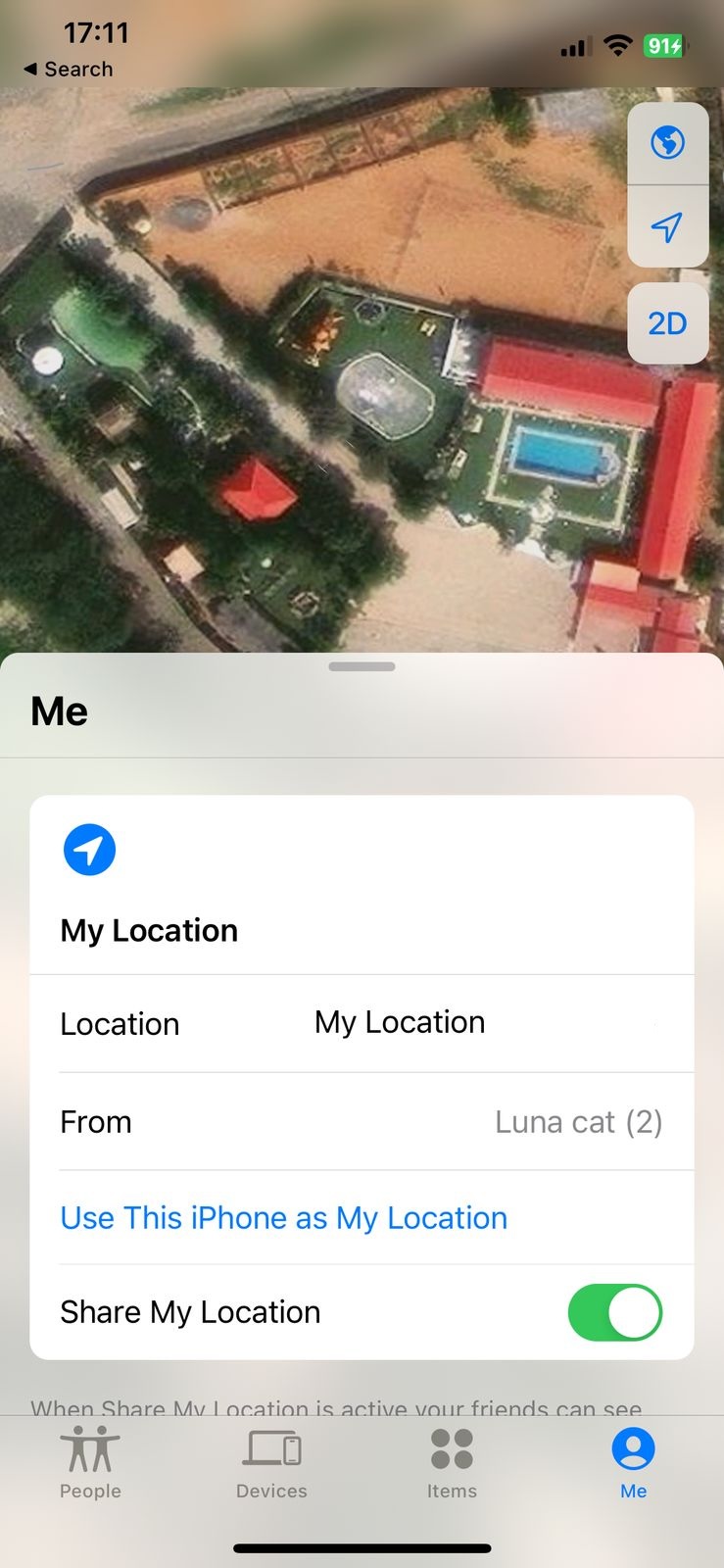
- Any other iOS device using the Find My app
- Any browser at iCloud.com (using the Apple ID assigned to the child’s device)
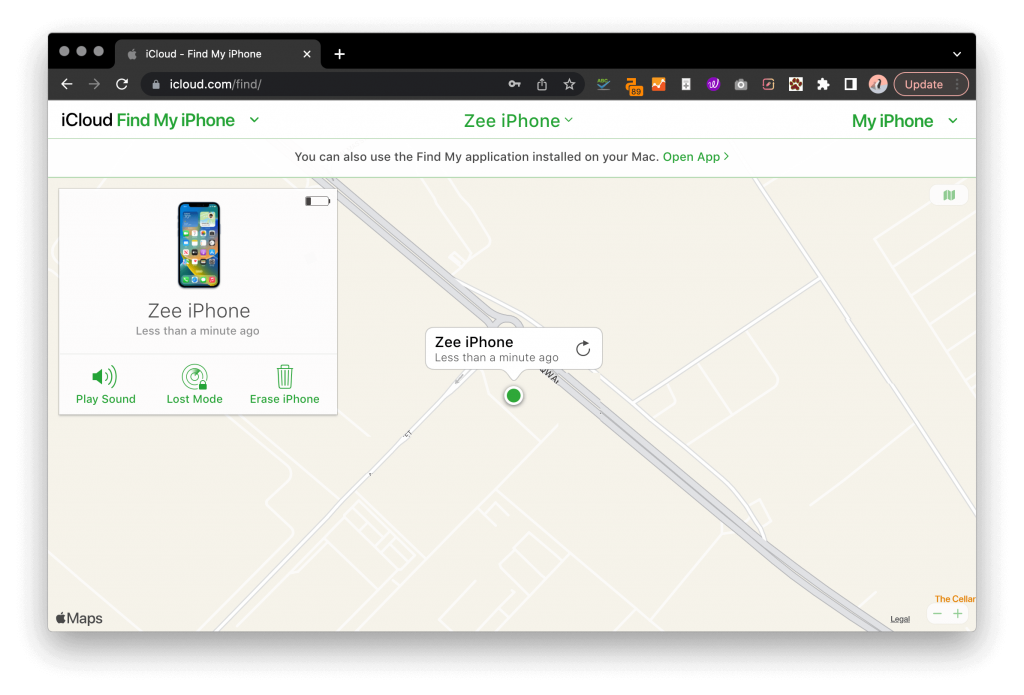
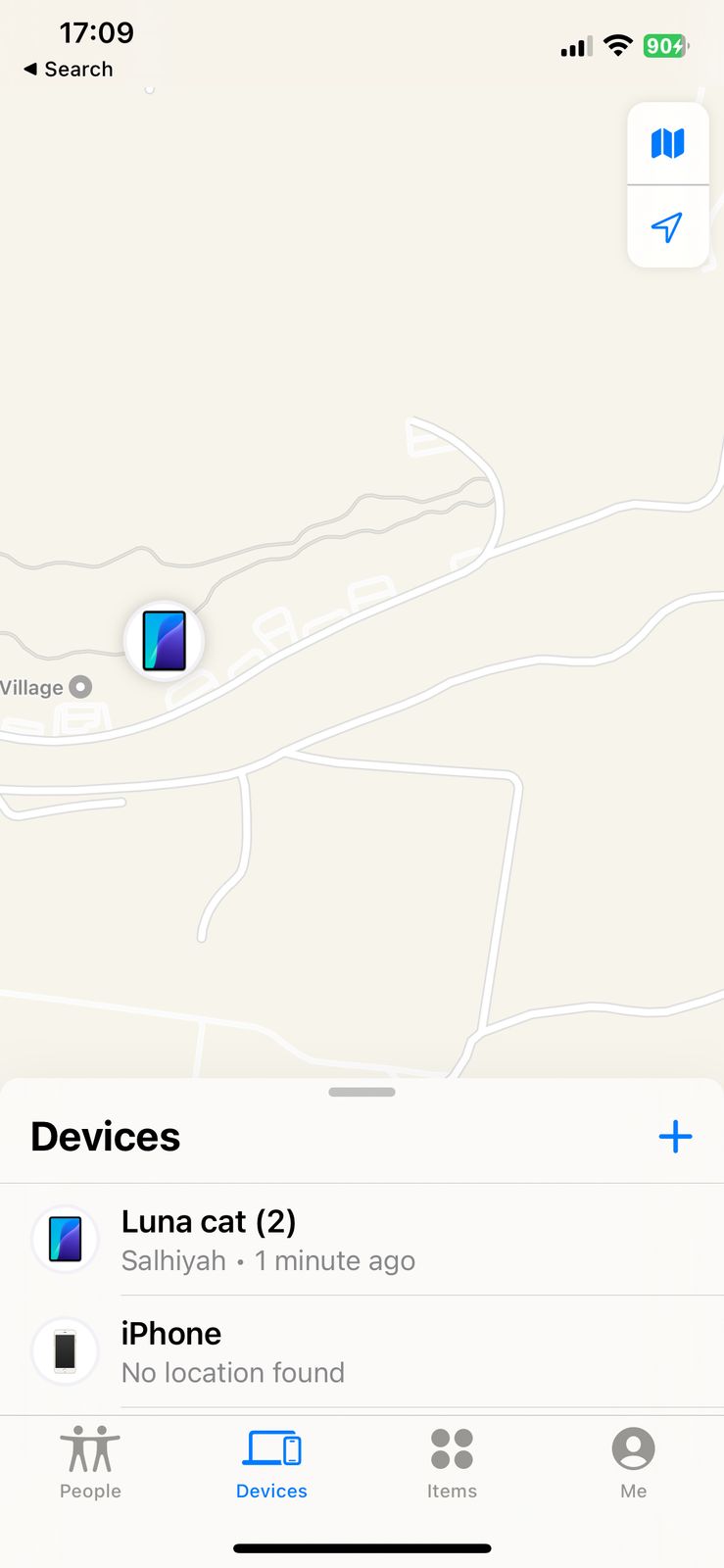
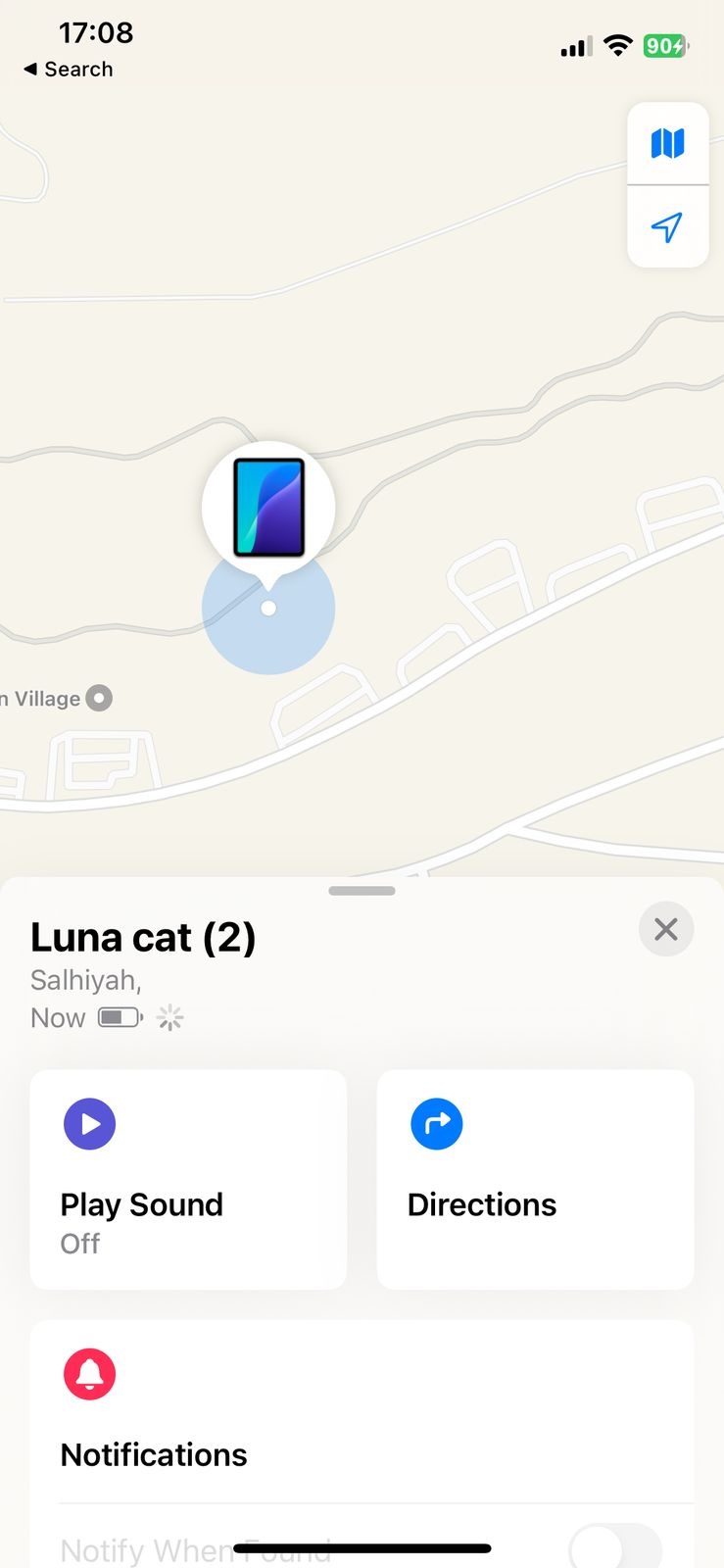
From the dashboard, you can see whether the phone is stationary or moving and optionally set up notifications for when the device arrives or leaves certain areas — helpful for school pickups or routine check-ins.
You can also:
- Play a sound
- Lock the device
- Erase the device
Step-by-Step: Track an iPhone’s Location
- Choose the device you want to locate.
- Ensure Find My iPhone is enabled on the device.
- Visit iCloud.com and sign in with the device’s Apple ID.
- Select the “Find My iPhone” icon.
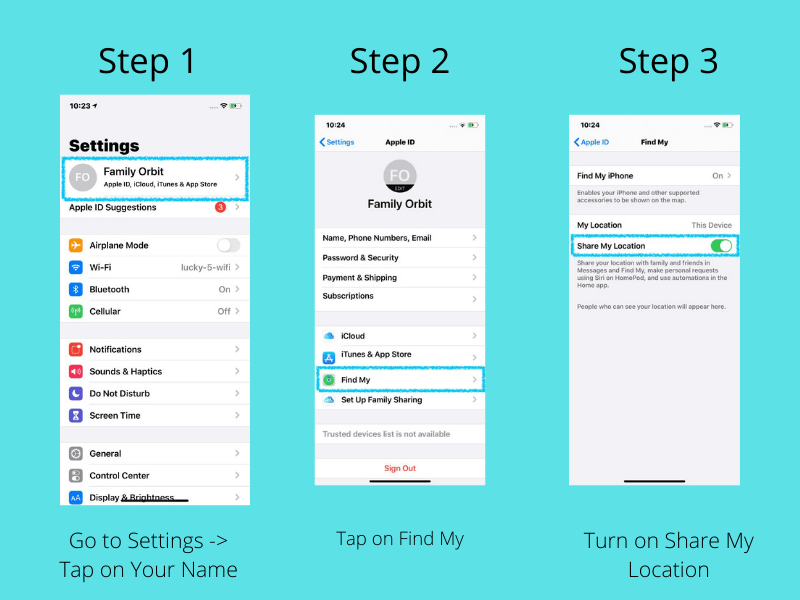
Once you activate the feature, you can easily track the phone’s location in iCloud from a web browser or another iOS device using the account details.
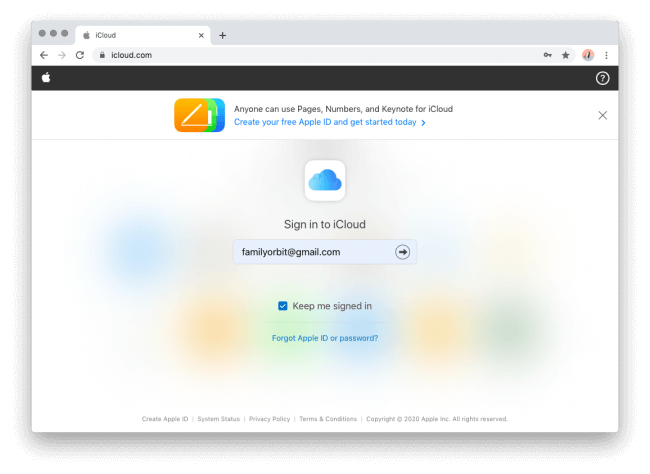
To track your child’s location, visit iCloud.com from your browser and enter the Apple ID credentials of the child’s iPhone.
Click on the ‘Find my iPhone’ icon from the dashboard
Method 3: Track Your Child’s Phone With Google Maps
Most people know Google Maps for navigation, but it also includes a Location Sharing feature. This allows a family member to share their real-time location with another trusted contact — commonly used by parents and teens.
To use it, you’ll need to enable Location Sharing directly on your child’s device. After it’s turned on, you can open Google Maps on your own device and see their live location anytime.
How to Set Up Location Sharing (Android or iPhone)
- Open Google Maps on your child’s phone.
- Tap their profile photo → Location Sharing.
- Tap Share Location.
- Choose “Until you turn this off” for continuous sharing.
- Select your Google account as the trusted contact.
- Tap Share.
Optional: Enable Google Timeline (Android Only)
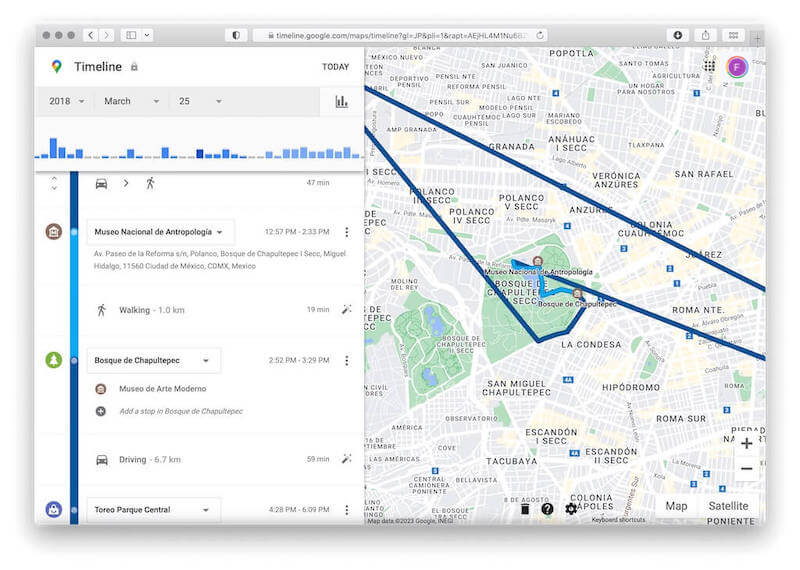
Google Timeline can store past locations for the linked Google account.
Go to:
Settings → Google → Location → Location History → ON
This creates a detailed location history you can review later.
Method 4: Track Your Child’s Phone Using a Number Tracker Service
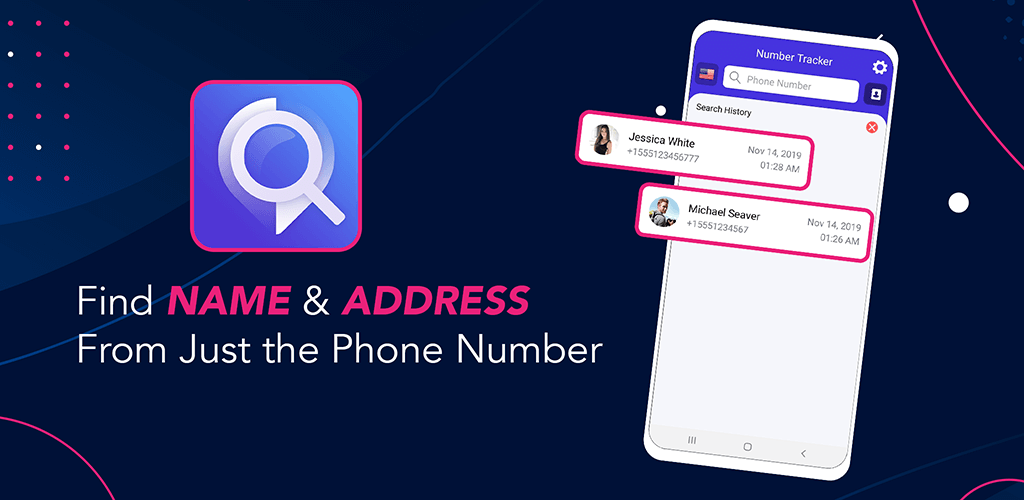
Number tracker services allow you to request a one-time location from a phone number. These services do not track a phone automatically — they work by sending the person a consent-based link. When the link is tapped, the person’s device shares its GPS location.
This can be useful for quick check-ins, but it requires the child to actively tap the link. If they ignore the request, you won’t receive any location data.
How to Use a Number Tracker
- Visit a reputable number tracker website.
- Create an account.
- Enter the phone number you want to request a location from.
- Send a location request link (the message should clearly identify you as the sender).
- Once the child taps the link, their real-time location will appear on your dashboard.
Important:
These tools are not designed for stealth, and the child will always see the message.
Method 5: Track Your Child’s Phone Using Carrier Services (Verizon, AT&T, T-Mobile)
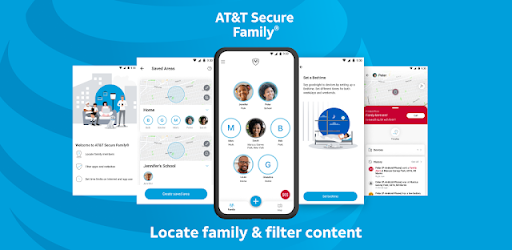
Most major U.S. carriers offer family safety features that include real-time location sharing. If your child’s phone is on your carrier plan, you may already be eligible.
Carrier tracking uses network-based location (cell towers) instead of just GPS, making it useful even when GPS or Wi-Fi is turned off.
Examples:
- Verizon Smart Family: Real-time location, geofence alerts, contact controls
- AT&T Secure Family: Location tracking, safety alerts, parental controls
- T-Mobile FamilyWhere: Network-based location tracking
How to Set It Up
- Log in to your carrier account or open the official carrier app.
- Locate the family safety or tracking subscription.
- Add your child’s device to the plan.
- Configure alerts and permissions.
- View their location through the carrier dashboard.
These services typically cost $7–$10/month and may notify the device that location sharing is active, as required by law.
Best Professional Tool: Track Your Child’s Phone Without Them Knowing – Family Orbit
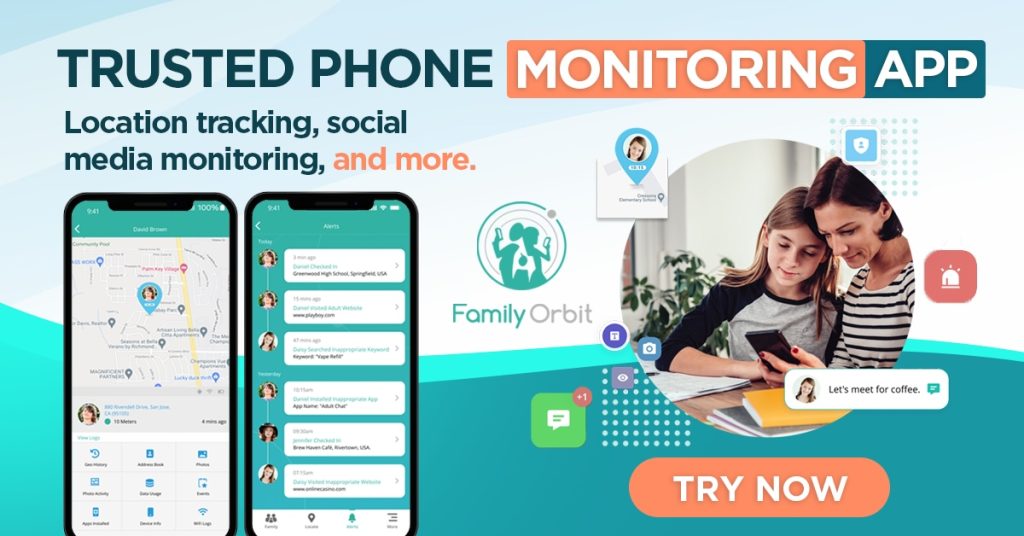
If you want more visibility than what basic tools like “Find My iPhone” or “Find My Device” provide, Family Orbit offers a complete, parent-approved solution for staying informed about your child’s safety — on both iPhone and Android.
Instead of relying on invasive tricks, hidden apps, or unrealistic “stealth tracking,” Family Orbit uses methods that align with each platform’s security model:
- iPhone: Data is retrieved securely through the child’s iCloud backup, with no app required on the device.
- Android: A small, parent-approved monitoring app is installed to provide real-time insights and safety alerts.
This gives parents a transparent, reliable, and ethical way to supervise their child’s digital life.
How Family Orbit Works on Each Platform
📱 iPhone (No App Needed – iCloud Monitoring)
Family Orbit connects to the child’s existing iCloud account and securely retrieves backup data such as:
- location & location history
- messages
- photos
- call logs
- web activity
Requirements:
- Your child’s iCloud credentials
- iCloud Backup turned on
After setup, Family Orbit continuously updates your parent dashboard whenever the iPhone performs a new backup.
✔ Fully remote
✔ No app on the child’s device
✔ Uses Apple’s official backup system
📱 Android (One-Time App Installation Required)
Android does not offer cloud-based phone monitoring. To access safety insights, Family Orbit installs a lightweight, parent-authorized app on the child’s phone, which provides:
- real-time location
- geofence alerts
- photos
- SMS/call logs (where permitted)
- app usage
- device safety alerts (battery, WiFi changes, etc.)
Requirements:
- One-time installation on the child’s Android device
- Appropriate permissions enabled
✔ Real-time live tracking
✔ Rich safety alerts
✔ Full device insights
Key Features That Go Beyond “Find My iPhone”:
📍 Real-Time Location + History
Monitor live locations and review past movements.
💬 Messages & Call Logs
See communication patterns to spot red flags early.
🧑💻 Browser Activity Insights
Understand browsing behavior for safer online habits.
📸 Photos & Videos
See new media added to the device through secure backups.
🔔 Custom Safety Alerts
Geofences, low battery warnings, suspicious activity, and more.
👨👩👧 Multiple Devices Under One Account
Perfect for families with more than one child.
Why Choose Family Orbit?
Instead of jumping between Apple’s “Find My,” Google Maps, carrier apps, and separate parental controls, Family Orbit puts all essential safety data in one place. It allows parents to stay informed in a responsible, transparent, and secure way — without crossing legal or ethical boundaries.
🛡️ Kids face real digital risks today.
Family Orbit helps parents guide and protect them through visibility, communication, and informed decision-making — not hidden tracking.
Frequently Asked Questions About Tracking a Child’s Phone
Now that you understand the main ways to check a child’s phone location, here are answers to some of the most common questions parents have about digital supervision, privacy, and safety.
What is the best tool to track my child’s phone?
Each method has its strengths. Built-in tools like Apple’s Find My or Google’s Find My Device are great for basic location checks. If you want a more complete view of your child’s digital safety (location history, photos, messages, device alerts), Family Orbit provides a fuller parental-control dashboard that supports both iPhone and Android. It’s designed for transparency and safety, not hidden tracking.
Can I track my child’s phone without installing anything?
It depends on the device:
- iPhone: You can access certain data through iCloud backups without installing an app on the device.
- Android: A one-time app installation is required, because Android does not offer cloud-based phone monitoring.
In practice, most forms of ongoing supervision require some setup and awareness. Family Orbit supports both platforms using methods that align with their privacy and security models.
Is it legal to track my minor child’s phone?
In many regions, parents or legal guardians are allowed to monitor the devices of their minor children for safety purposes. However, laws can vary by country and state, and monitoring should not extend to adults or be used in non-parental situations.
If you are unsure about the rules where you live, it’s wise to review local regulations or seek legal advice before setting up any monitoring tool.
Can I track my child’s phone if it’s turned off?
No tool can provide a live location when a phone is powered off or the battery is dead. However, services like Find My and Family Orbit can often show the last known location before the device went offline, which can still be helpful for recovery or understanding where it was last used.
Can I track a phone with just a number?
You cannot continuously track a phone’s GPS location silently using only a phone number. Some number-locator services can send a consent-based link to that number; if the person taps the link, their device may share a one-time location with you.
These tools are useful for occasional check-ins, but they do not replace parental-control solutions and are not a substitute for ongoing supervision.
At what age should I stop tracking my child’s phone?
There’s no single “right” age. Many parents gradually reduce monitoring as their child shows responsibility and good judgment. As they approach adulthood, it’s helpful to:
- Talk openly about privacy, trust, and why monitoring was used.
- Set clear expectations and boundaries together.
- Shift from strict monitoring to guidance and support.
Once a child turns 18, you should not monitor their device without their explicit consent.
Let Us Help You Track Your Child’s Phone to Keep Them Safe
Parenting today isn’t easy — especially when so much of your child’s life happens on a screen. Between constant online risks, digital distractions, and real-world safety concerns, it’s understandable to want a clearer picture of what’s happening on their devices.
Family Orbit is built to give parents that peace of mind.
Instead of relying on complicated or unreliable tracking tricks, Family Orbit provides a secure, transparent, and parent-approved way to understand your child’s location, routines, and digital activity.
On iPhones, Family Orbit uses iCloud-based monitoring, meaning you can review important safety information without needing to install an app on the child’s device. On Android, a lightweight, parent-authorized app ensures proper permissions and real-time updates. Either way, you get a consistent dashboard with the insights that matter most.
If you’re tired of trying to piece together multiple tools or searching for “free” methods that fall short, Family Orbit brings everything together into one straightforward solution — built for modern parents who want to protect, guide, and stay connected with their kids.
- Monitor Calls & Text Messages
- View Photos and Videos
- Location Tracking & Geofence
- Monitor WhatsApp & Kik
- Detect & Alert for Inappropriate Activities
- Monitor Websites Visited
- Compatible with Android and iOS



![Ultimate Guide To Track A MetroPCS Phone For Free [5 Methods]](https://www.familyorbit.com/blog/wp-content/uploads/2023/11/how-to-track-a-metropcs-phone-for-free-blog-300x180.jpg)
![12 Best Free Cell Phone Tracker by Number Apps [Updated]](https://www.familyorbit.com/blog/wp-content/uploads/2023/11/free-cell-phone-tracker-apps-300x180.jpg)