
Around 2,300 children go missing every day in the United States, according to ChildFind of America. That’s not just a number. It’s a gut-punch for any parent.
Phones have made it easier to keep tabs on loved ones — but what happens when location tracking is switched off? It could be an accident. It could be deliberate. Either way, when someone’s safety is on the line, waiting isn’t an option.
Most people think GPS is the only way to track a phone. It’s not. There are other ways that might help, even if the phone’s location is turned off.
This guide walks through what actually works — and what doesn’t — when GPS is off. These aren’t hacks or gimmicks. These are real methods used by parents, safety pros, and in some cases, even investigators. But they come with rules.
Disclaimer: This guide is for educational purposes only. Always get clear consent before tracking someone’s phone or location.
What to Know Before Trying to Track Someone Without Location Services
Prevention beats panic — every time. That’s why parental control apps work better than these one-time tracking methods. When set up ahead of time, they give more accurate, real-time data and often include things like location history, alerts, and screen time tracking.
If no tracking was set up in advance, there are still ways to check where a phone might be — but they aren’t perfect. Most of them rely on the phone being connected to the internet. A few old-school tricks, like using a phone number or last known location, can help too, but come with limits.
Privacy laws also matter. Mobile carriers and service providers don’t hand out location info to just anyone, even if you’re listed as the emergency contact. This keeps data safe — but it also means some info might be out of reach without consent or legal approval.
Here’s how to track someone when their location is off, starting with one of the most basic methods: checking their IP address.
What Works — and What Doesn’t (At a Glance)
Each tracking method has its strengths — and its limits. Here’s a breakdown of how they compare, what they need to work, and when they fall short.
| Method | Requirements | Accuracy | Legal Access | Best Use Case |
|---|---|---|---|---|
| IP Address | Phone online, recent activity | Low (~City/Region) | Public tools only; limited data | Check if device is still in same city |
| Wi-Fi Logger | Wi-Fi enabled + Internet access | Medium (~Street Level) | Allowed in approved safety apps | Track last known spot before phone went offline |
| Phone Number (SIM) | Phone must be on and registered with carrier | Low (Tower Zone) | Only available to authorities | Not usable for parents without legal support |
| Last Known Location | Location permissions enabled beforehand | Medium (~Block-level) | Legal via own account or parental control apps | Track when device goes offline or shuts down |
| Social Media / Photos | Access to shared accounts or visible posts | Varies (Depends on clues) | Public info only; must follow TOS | Look for photo tags, check-ins, new friends |
No method works perfectly on its own. But when used together, they can give you a clearer picture — especially if set up in advance with the right tools.
1. IP Address: Can It Help You Locate Someone?
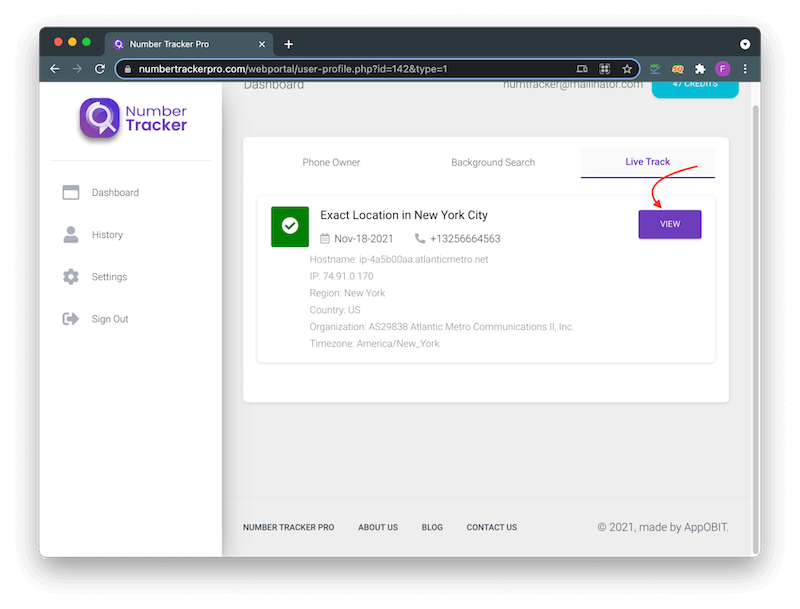
Think of an IP address like a digital return address. It tells the internet where to send information, just like a home address tells the post office where to deliver a letter.
Each time a phone or device connects to the internet, the internet provider gives it a new IP address. This IP can reveal the city or area the person is in — but not the exact spot.
It’s the same tech streaming sites use to block shows by region. And yes, it’s also how law enforcement sometimes tracks illegal activity. But for everyday use, it’s not always reliable or easy to access.
What You Can Expect from IP Tracking
IP-based location shows a broad area — maybe a city, sometimes a few blocks. It won’t tell you if someone’s at school, the mall, or the park. Think of it more like spotting a moving dot on a map, not a pin on a house.
Many websites offer free IP lookup tools. Just Google “IP checker” and you’ll see dozens. Some VPN sites even show your current IP just to prove how their service masks it.
How to Find Someone’s IP (If You Have Their Email)
If they’ve emailed you recently, you might be able to see their IP address in the email header. Look for a “Show original” or “View raw source” option in your email app. The IP will be listed there — usually as a group of numbers like 192.168.1.1.
But don’t count on this working every time. Many email services now hide IP addresses for privacy. And if the message is old, it might be from a different network or location.
Can You Get an IP from a Phone Number?
Some tools let you send a short link by text. When the person taps it, their phone shares its IP address. Apps like Localize, Number Tracker, and Scannero work this way. But the person has to open the link — they’re giving permission when they do.
That means this method won’t work without their knowledge. And it won’t work at all if their phone is offline or using a VPN.
2. Wi-Fi Logger: How It Tracks Without GPS
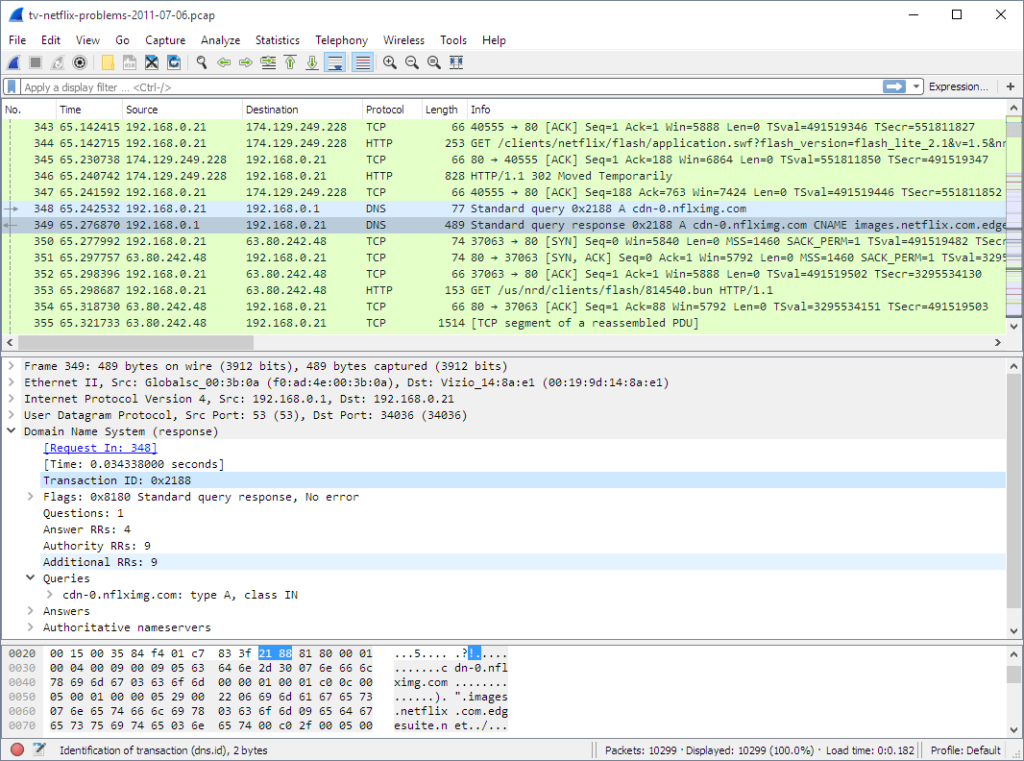
When GPS is off, Wi-Fi is the next best thing. Some apps use Wi-Fi data to figure out where a phone is — often down to the street level. That’s why Wi-Fi loggers can be more accurate than IP lookups.
These tools work in real time, showing where someone is as they move from place to place. That can make a big difference in situations where every minute counts. But just like GPS, they only work if the phone is connected to the internet.
How Wi-Fi Tracking Works
Phones are always looking for nearby Wi-Fi signals, even when they’re not connected. Each time a phone scans for networks, it picks up a list of nearby Wi-Fi routers — called access points — along with their signal strength and unique device IDs (MAC addresses).
These access points are mapped. When the phone sees enough of them, its location can be guessed by comparing signal strength from different directions. It’s a bit like GPS — but instead of satellites in space, it’s using coffee shops, schools, and home routers.
This is how Google Maps can often guess your location even when GPS is off — by using Wi-Fi signals around you.
What About MAC Addresses?
Each router has a MAC address, which is a permanent ID — sort of like a license plate for Wi-Fi. Unlike IP addresses, MAC addresses don’t change. They’re one reason Wi-Fi tracking can get closer to a phone’s true location than an IP search ever could.
Using Wi-Fi Logger Tools
Some apps can collect this Wi-Fi signal data and send it to you. In theory, they can show you a phone’s movements with surprising accuracy. For example, tools like Wigle WiFi and NetSpot are often used to map nearby Wi-Fi signals. Other apps like Find My Device (Android) and Find My (Apple) use a mix of GPS, Wi-Fi, and Bluetooth to help locate a device — even if GPS is off.
But be careful — many “free” tracking tools online aren’t secure or trustworthy. Some log your data, show shady ads, or are built more to track you than to help you find someone else. Always read the reviews, check the permissions they ask for, and stick to tools with a solid reputation.
If the goal is to keep a child safe, it’s better to stick with a well-reviewed parental safety app. These usually come with extra features like location alerts, geofencing, and usage reports — and they’re designed to protect both the child and the parent’s peace of mind.
3. Phone Number Lookup: What It Can (and Can’t) Tell You
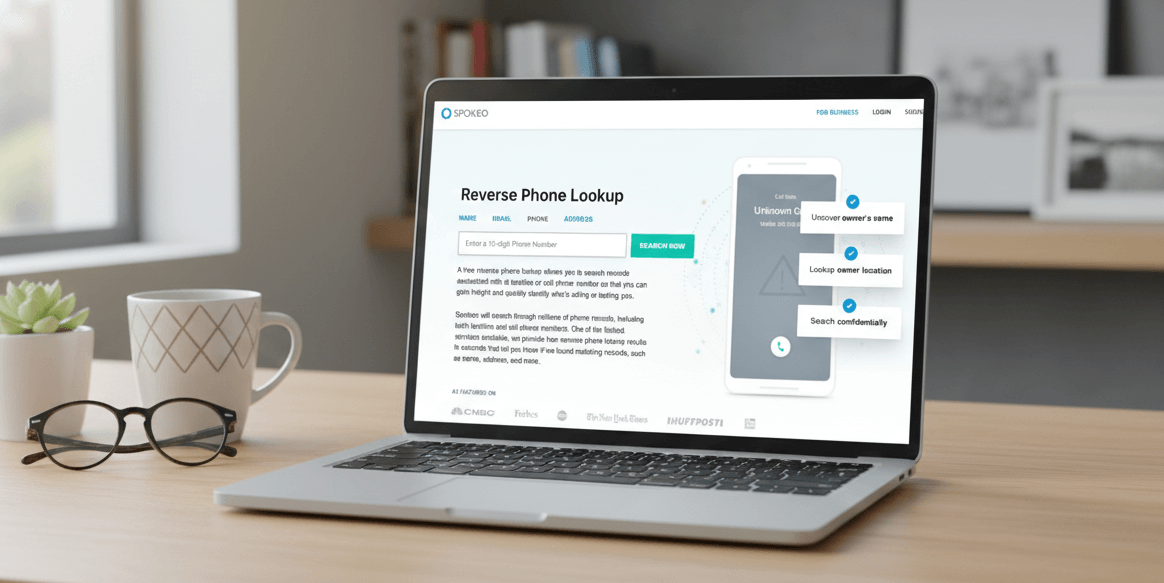
A phone number might seem like the simplest way to track someone. But without special access, it doesn’t reveal much. You might get a general idea — like the country or city where the number was first registered — but that’s not the same as real-time location.
Can You Track Someone by SIM or Carrier Data?
Each time a phone is turned on, it connects to nearby cell towers. The network logs that connection using SIM card data. In theory, it could show the phone’s last known area — but that information stays with the mobile operator. It’s protected by law and isn’t something most people can access.
Police and emergency services may use this data in serious situations. But for everyday use, like checking on a child or finding a lost phone, it’s out of reach.
What About Phone Number Lookup Apps?
Some apps claim to track a phone by its number, but most only show public details — like what city the number came from, or what carrier it uses. This can be helpful for blocking spam or identifying unknown calls, but it won’t show a live location.
Trusted tools like Truecaller or Hiya can identify who’s calling and filter out known scams. But they don’t — and can’t — track real-time movement from just a phone number.
How Parental Safety Apps Do It Differently
If the goal is to protect a child or loved one, a parental control app offers more options. These apps go beyond phone numbers. Once set up, they can share location history, app activity, and alert you if the phone leaves a set area — even if GPS is turned off.
Apps like Bark, Family Orbit, or Qustodio work quietly in the background and can’t be turned off from the main settings. They don’t just track — they help you start conversations about safety and build trust over time.
4. Last Known Location: When the Phone Goes Dark
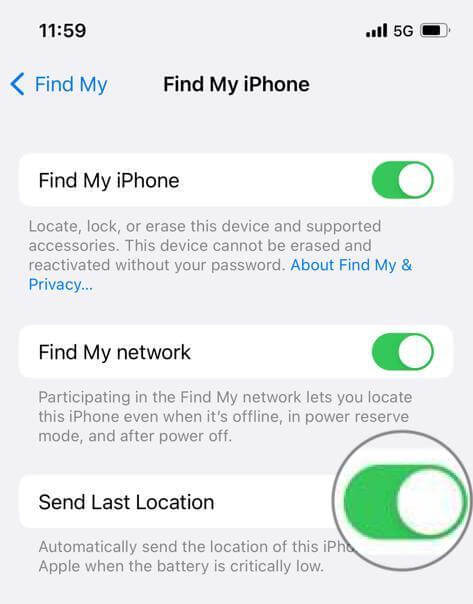
When all else fails, the last known location is often the best lead. Even if the phone is off or disconnected, it may have left a trail before going silent.
This is usually the last set of GPS coordinates recorded before the phone lost power or signal. It won’t give you an exact pin — but it can show a general area. That might be all you need to start searching or get help from others.
How to Use Last Known Location
Apps like Find My iPhone (Apple) or Find My Device (Android) show the most recent spot the phone was seen. Check the time it was last updated — that gives you a clue how long the phone’s been offline.
If you’re using a parental safety app, some allow geofencing. That means you’ll get alerts if the phone leaves a certain area, like school or home. Even if the device powers down after that, you’ll know where it was before going dark.
5. Social Media, Photos & Google History
If your loved one uses social apps or a shared Google account, you may be able to find clues through photos, posts, or location history. Tools like Google Photos and Google Maps Timeline sometimes tag locations when photos are taken or shared.
Look for street signs, landmarks, or familiar faces in photos. These small details can give you more than any map can.
Social media timelines — like Facebook or Instagram — may also show where they’ve been, who they were with, or what events they attended. But it depends on their privacy settings. Not everything will be public.
Reach Out to Friends and Parents
If the social trail runs cold, try asking your child’s friends or their parents. A quick message might be all it takes to confirm where they went or who they were with.
Yes, it can feel uncomfortable. But safety comes first. Most parents will understand and try to help. If your child’s profile is private, a trusted friend may still be able to check for you.
In some cases, new friends or tagged posts can hint at a change in routine or a new hangout spot. The goal here isn’t to pry — it’s to make sure your loved one is safe.
Last known location data is your best choice if other methods fail. It works if the phone itself is off. You can combine it with more traditional search methods to help you find your loved one.
Legal & Ethical Reminders: Read This Before You Track
Technology gives us powerful tools — but with that power comes responsibility. Tracking someone without their knowledge or permission can cross serious lines, legally and ethically.
What’s Legal — and What’s Not
In many countries, tracking someone’s phone without consent may break privacy laws. Laws like the GDPR (Europe), CCPA (California), and PECR (UK) protect individuals from being monitored without clear consent.
Even if you’re a parent, the rules may vary depending on your child’s age, your location, and what kind of data is being collected. Always use tools that are designed for family use, and that clearly explain how they handle data.
Parental Control vs. Spying
There’s a big difference between keeping a child safe and secretly spying on someone. Trust is built when safety tools are used openly — with conversations, not behind someone’s back.
Parental monitoring is allowed when the child is a minor and the goal is protection. But using the same tools to track a partner, ex, or adult without consent can cross into stalking territory — and that’s illegal in many places.
One Rule Above All: Consent is Key
Every tool in this guide — even the helpful ones — depends on trust and permission. If you’re setting up a safety app, let your child know why. Talk about boundaries and safety goals. This keeps things open, respectful, and legal.
When used right, these tools help families stay connected and feel secure — not watched. That’s the balance to aim for.
Wrapping Up: Keep Your Loved Ones Safe
When a loved one goes quiet, the worry hits fast. Not knowing where they are can be one of the most stressful feelings a parent faces. But with the right tools and a clear plan, there are still steps you can take.
This guide walked through real-world methods for how to track someone when their location is off — what works, what doesn’t, and what to watch out for. Some methods rely on technology. Others just take a little digging, patience, and care.
For parents who want more peace of mind going forward, a trusted safety app can make all the difference. Family Orbit is built for families. It helps you stay connected by showing where your child is, how they’re using their phone, and who they’re talking to — all in one place. You can even set up safe zones, screen time limits, and alerts for risky behavior.
It’s not about control — it’s about knowing they’re safe.
Try Family Orbit free and see how it helps you stay one step ahead — without guesswork.
- Monitor Calls & Text Messages
- View Photos and Videos
- Location Tracking & Geofence
- Monitor WhatsApp & Kik
- Detect & Alert for Inappropriate Activities
- Monitor Websites Visited
- Compatible with Android and iOS



![How to Resolve Life360 Not Updating Location [8 Easy Fixes]](https://www.familyorbit.com/blog/wp-content/uploads/2024/04/how-to-resolve-not-updating-life360-300x180.jpg)