Can you track an iPhone location by phone number? Not from the phone number alone. A phone number can help identify details such as the country, carrier, line type, or publicly available information associated with the number, but it does not give you direct access to an iPhone’s live GPS location.
To see an actual iPhone location, you normally need a location-sharing feature such as Apple’s Find My, a previously enabled location-history service, or parental monitoring software that has been properly configured with permission.
Below, we explain what each method can and cannot do, starting with the phone number itself.
Quick Comparison: What Can Actually Track an iPhone?
| Method | Live Location? | Works From Phone Number Alone? | Setup Required? | Best For |
|---|---|---|---|---|
| Phone number lookup | No | Yes | No | Identifying a number, carrier, country or public information |
| Apple Find My | Yes | No | Yes | Lost devices and family location sharing |
| Family Orbit | Location monitoring after setup | No | Yes | Ongoing parental monitoring of an authorized child device |
| Google Maps Timeline | Historical only | No | Must already be enabled | Reviewing previous locations and routes |
Can You Really Track an iPhone Using Only a Phone Number?
No. A phone number does not contain the GPS coordinates of an iPhone and cannot be used by itself to reveal a real-time location.
What a phone number can do is help you start with basic number intelligence. Depending on the number and the available data, you may be able to identify its country or region, carrier, line type, or other publicly available information. That is useful when you are trying to understand an unfamiliar number, but it is different from tracking the physical device.
1. Check What Information Is Available From the Phone Number
If you only have the phone number, begin with a number lookup rather than a GPS-tracking claim.
A phone number lookup may help you check:
- Country or region
- Carrier or network
- Line type
- Publicly available identity information, when available
- Whether the number may be associated with services such as WhatsApp
It will not show the iPhone’s live GPS position.
If the number is contacting you or your child through WhatsApp, you can also use the WhatsApp Number Lookup to check available profile information.
2. Track an iPhone With Apple Find My and Family Sharing
For a lost iPhone or a family member who has already shared their location with you, Apple’s Find My feature is usually the first place to start.
Find My can show a current or last known location when the required Apple location features have been enabled. It is designed for Apple devices and family location sharing, so it is a much more direct location tool than trying to locate an iPhone from its phone number.
To share a child’s iPhone location with a parent, the location-sharing settings must be configured on the device or through the family account. Once configured, the parent can view the shared location in Find My.

- Finding your own missing iPhone
- Viewing a family member’s shared location
- Checking a current or last known Apple-device location
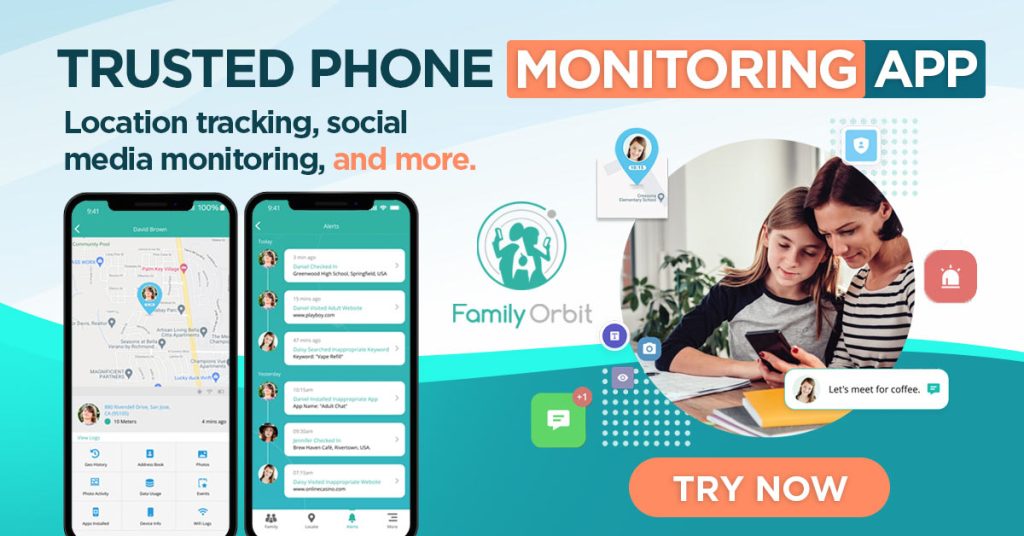
3. Monitor Your Child’s iPhone Location With Family Orbit
Family Orbit does not locate an iPhone from its phone number. It is designed for parents who have authorization to monitor a child’s device and want ongoing access to location and device activity after the monitoring account has been properly configured.
This is a different use case from reverse phone lookup. Instead of asking, “Where is this number right now?”, Family Orbit is intended for parents managing a child’s iPhone and looking for a longer-term monitoring solution.
Depending on the monitoring method and account configuration, Family Orbit can provide parents with access to supported iPhone activity and location information from its online dashboard.
- Review supported location information
- Check supported device activity from one dashboard
- Monitor an authorized child device without relying on a phone number as a GPS locator
How Family Orbit iPhone Monitoring Works
- Create a Family Orbit account.
- Choose the supported iPhone monitoring method for the child’s device.
- Complete the required account or device setup and authorization.
- Review supported iPhone activity and location information from the Family Orbit dashboard.
4. Check Previous iPhone Locations With Google Maps Timeline
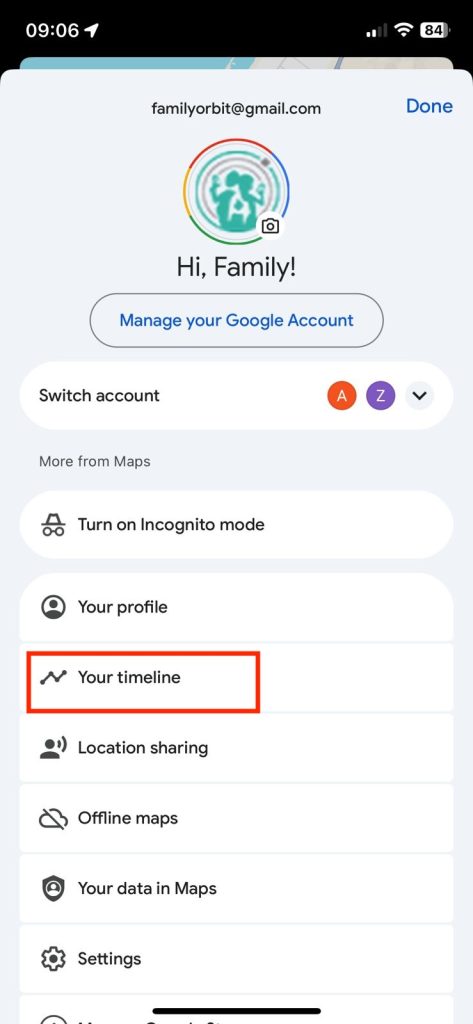
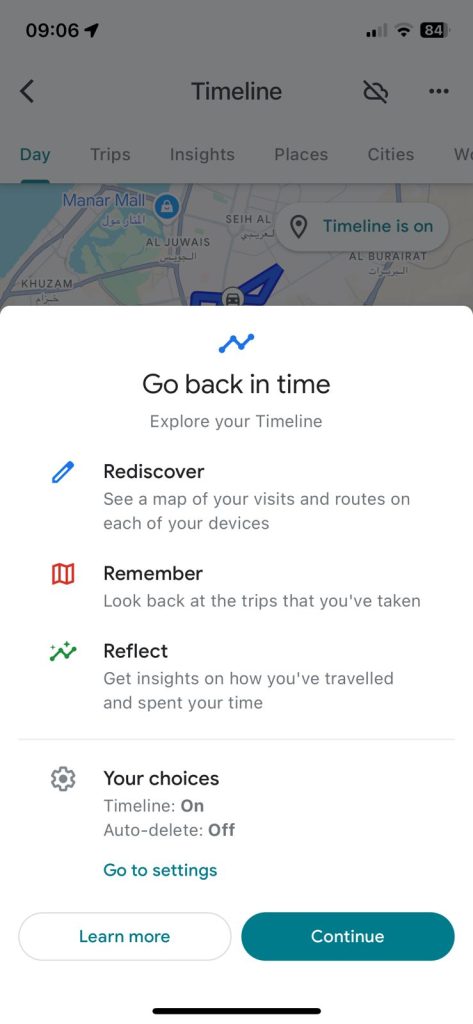
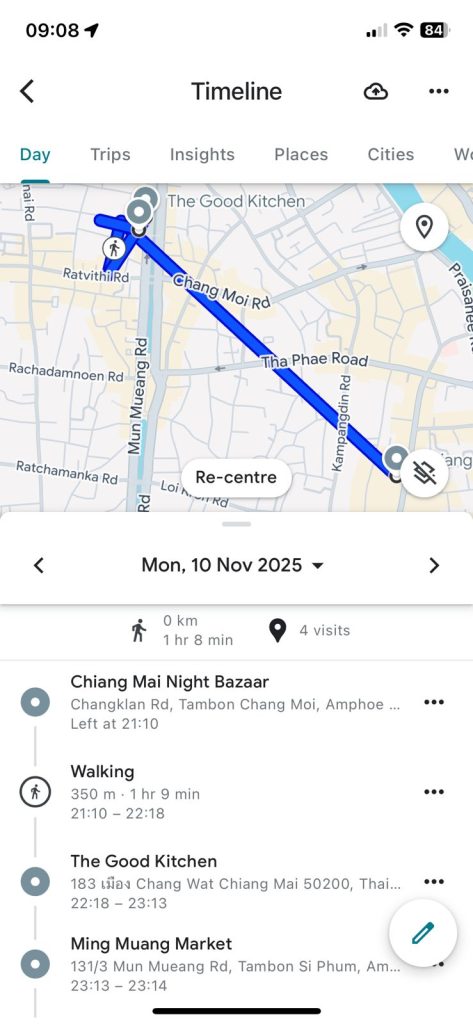
If Google Maps Timeline was already enabled on the iPhone, it may help you review previous locations and routes. This is not the same as live GPS tracking, and it only works when the relevant Google account and location-history settings were configured in advance.
How to Check Google Maps Timeline
- Open Google Maps on a device signed in to the relevant Google account.
- Tap the profile icon.
- Select Your Timeline.
- Choose a date.
- Review any recorded locations or routes that are available.
- Timeline is historical, not a live tracker.
- Location history must already have been enabled.
- Recorded locations can be incomplete or delayed.
Can You Track an iPhone That Is Turned Off?
A powered-off iPhone cannot continuously transmit a normal live GPS position. Depending on the device, account settings, and previously enabled Apple features, Find My may still show a last known location or other available location information. A phone number alone cannot locate a powered-off iPhone.
Can You Track an iPhone Without Find My?
Yes, but only if another legitimate location method had already been configured. Examples include parental monitoring software, location sharing through another service, or a previously enabled location-history feature. If nothing was configured beforehand, your options are much more limited.
Can You Track an iPhone Without Installing an App?
Sometimes. Apple’s built-in location sharing does not require a separate third-party tracking app. Some parental monitoring methods may also work through account-based setup rather than a traditional app installed on the child’s iPhone. However, setup and authorization are still required. A phone number by itself is not enough.
Phone Number Lookup vs. iPhone GPS Tracking
These are two different tasks:
- Phone number lookup helps you understand who or what may be behind a number.
- GPS tracking requires access to location data through a device, account, or permission-based location-sharing system.
If you only have an unfamiliar phone number, start with a phone number lookup. If you are a parent who needs ongoing monitoring of a child’s iPhone, review the Family Orbit iPhone monitoring options.
Related iPhone Tracking and Monitoring Guides
- How to Check Recent Activity on an iPhone
- How to Check iPhone Location History
- How to Track iMessages for Parental Monitoring
- How to Tell if Someone Is Tracking Your iPhone
- How to Track Your Child’s Phone Location Without Installing an App
Frequently Asked Questions About Tracking an iPhone by Phone Number
No. A phone number alone does not provide access to the iPhone’s live GPS location. You need an authorized location-sharing, device-management, or monitoring method.
No. A lookup may show number-related information such as country, carrier, line type, or other publicly available details, but it does not reveal live GPS coordinates.
If Find My was enabled, Apple Find My is usually the first option to try for locating your own missing iPhone.
Parents can use Apple family location sharing or an authorized parental monitoring solution such as Family Orbit, depending on the monitoring features and setup they need.
Yes in some cases. Apple’s own location-sharing tools do not require a separate third-party tracking app, and some parental-monitoring methods may use account-based setup. Configuration and permission are still required.
What Should You Use?
If you only have a phone number and want to understand who may be behind it, start with a number lookup. If you are trying to find your own lost iPhone or view a family member’s shared location, Apple Find My is usually the simplest option. If you are a parent who needs ongoing, authorized monitoring of a child’s iPhone, Family Orbit is designed for that longer-term use case.
Need More Than a Phone Number Lookup?
If you are a parent managing your child’s iPhone and need ongoing location and device monitoring, see how Family Orbit’s iPhone monitoring works.